
7 Best Elementor Form Addons in 2026 (Tried & Tested)


While there are hundreds of plugins out there, not all of them play nicely with Elementor. Some are too heavy and slow down your site, while others feel like they belong in a completely different era of web design.
In this post, I’ve rounded up the best Elementor form addons that we have actually tested. These tools are designed to help you build better forms without making things overly complicated.

We are starting with Cool FormKit because it handles forms in a way that just makes sense for Elementor users. Most plugins try to replace the Elementor form widget entirely, which means you have to learn a whole new system. Cool FormKit simply adds new, professional features directly into the widget you’re already using.
It feels less like an addon and more like the “Pro” version of Elementor Forms that we’ve always wanted.
Cool FormKit is the “Smart User’s” choice. It solves the biggest frustration of Elementor Pro users: the feeling that you almost have everything you need, but are missing that one crucial logic jump or field type. By extending the native widget, it maintains your site’s speed and ensures your design remains 100% consistent with the rest of your Elementor-built pages.

If you find the standard Elementor form widget too limiting and want a “drag-and-drop” experience where every single part of the form is its own widget, MetForm is the way to go. It lives entirely inside the Elementor editor, but it provides over 40 different input widgets.

The Plus Addons for Elementor offers a “Form Builder” widget that is perfect for those who want total creative freedom.

With over 2 million active users, Essential Addons is usually the first plugin people install after Elementor. While it’s a massive bundle of widgets, their form styling capabilities are incredibly lightweight and reliable.

Unlimited Elements is unique because it isn’t just a list of widgets, it’s a framework. It features a built-in Calculator Builder that is arguably the most flexible one available for Elementor today.

ARForms isn’t an Elementor addon, but it’s included here for its impressive features and budget-friendly pricing. It works smoothly with Elementor, have build-in popup builder & offers advanced features like conditional logic and extensive styling options, making it a strong contender.

Fluent Forms is another standalone plugin, but its Elementor integration is so deep that it’s almost impossible to leave off this list. Fluent Forms has leaned heavily into AI-assisted form building and high-speed data processing.
Key Highlight: The AI Form Generator. You can simply describe the form you want (e.g., “Create a 5-step application for a luxury car rental”), and it will build the fields and logic for you in seconds.
If you’re building a data-heavy application, Fluent Forms or MetForm will give you the heavy-lifting capabilities you need.
In this post, I’ve rounded up the best Elementor form addons that we have actually tested. These tools are designed to help you build better forms without making things overly complicated.
Cool FormKit

We are starting with Cool FormKit because it handles forms in a way that just makes sense for Elementor users. Most plugins try to replace the Elementor form widget entirely, which means you have to learn a whole new system. Cool FormKit simply adds new, professional features directly into the widget you’re already using.
It feels less like an addon and more like the “Pro” version of Elementor Forms that we’ve always wanted.
Why It’s Our Top Pick
The philosophy behind Cool FormKit is “extension, not replacement.” It recognizes that Elementor’s interface is already world-class; it just needs more “pro” fields and logic. Here are some features we tested:- Smart Conditional Logic: This is the “killer feature.” You can show or hide specific fields based on user selections. For example, if a user selects “Request a Quote,” you can dynamically reveal budget and timeline fields, keeping your forms clean and high-converting.
- International Country Code with Flags: In a global economy, standard text fields for phone numbers don’t cut it. Cool FormKit adds a professional dropdown with flags and automatic dial-codes, ensuring you collect valid international data.
- Digital Signature Field: Perfect for service-based businesses or legal disclaimers. It adds a smooth, responsive signature pad directly into the form, which is then saved as an image or PDF.
- Interactive Visual Fields: It replaces boring radio buttons with Image Radio and Range Sliders. This makes forms feel like interactive apps, significantly boosting completion rates on mobile devices.
- Built-in Calculators: From BMI calculators to complex price estimators, you can perform real-time math based on user inputs without touching a single line of code.
Cool FormKit is the “Smart User’s” choice. It solves the biggest frustration of Elementor Pro users: the feeling that you almost have everything you need, but are missing that one crucial logic jump or field type. By extending the native widget, it maintains your site’s speed and ensures your design remains 100% consistent with the rest of your Elementor-built pages.
MetForm

If you find the standard Elementor form widget too limiting and want a “drag-and-drop” experience where every single part of the form is its own widget, MetForm is the way to go. It lives entirely inside the Elementor editor, but it provides over 40 different input widgets.
Why It Made The List
MetForm is famous for its Multi-Step Forms. It allows you to break long, boring forms into bite-sized steps with a progress bar at the top, which significantly lowers “form fatigue.”- Key Highlight: It comes with a massive library of pre-designed templates. If you need a professional “Loan Application” or “Event Registration” form, you can import.
- Unique Feature: It supports Repeater Fields, allowing users to add multiple rows of information (like adding multiple guests to a booking) dynamically.
The Plus Addons for Elementor
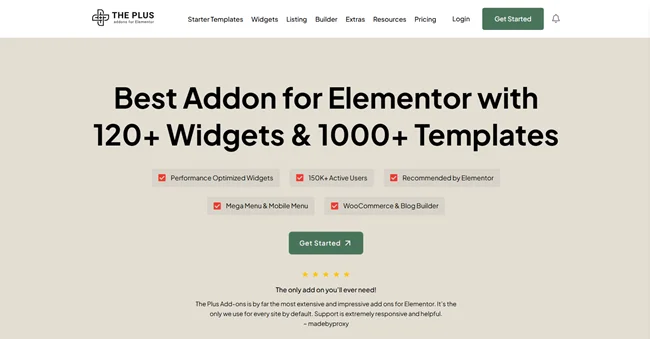
The Plus Addons for Elementor offers a “Form Builder” widget that is perfect for those who want total creative freedom.
Why It Made The List
It bridges the gap between functionality and aesthetics. If you’re forced to use a specific plugin for backend reasons but hate its design, this tool lets you style every pixel, borders, shadows, typography, and button effects, using the Elementor panel.- Key Highlight: The Login & Signup widgets are elite. They allow you to create beautiful, custom-branded portals for your users with advanced “Remember Me” and “Password Reset” functionality that looks seamless with your site’s theme.
Essential Addons for Elementor

With over 2 million active users, Essential Addons is usually the first plugin people install after Elementor. While it’s a massive bundle of widgets, their form styling capabilities are incredibly lightweight and reliable.
Why It Made The List
Essential Addons is optimized for performance. It’s perfect for the “Minimalist” who wants a clean, professional contact form without the weight of a heavy backend database.- Key Highlight: It provides a very smooth integration for Typeform. If you prefer using Typeform’s external builder for your surveys, Essential Addons lets you embed and style them so they feel like a native part of your Elementor page.
Unlimited Elements

Unlimited Elements is unique because it isn’t just a list of widgets, it’s a framework. It features a built-in Calculator Builder that is arguably the most flexible one available for Elementor today.
Why It Made The List
If your business relies on providing instant quotes, like a mortgage estimator, a shipping cost calculator, or a fitness calorie tracker, this is your tool. It handles complex math formulas with ease and displays the results in real-time as the user types.- Key Highlight: The Widget Creator. If you have a very specific vision for a form field that doesn’t exist yet, you can actually build your own custom Elementor widget using their internal environment.
ARForms

ARForms isn’t an Elementor addon, but it’s included here for its impressive features and budget-friendly pricing. It works smoothly with Elementor, have build-in popup builder & offers advanced features like conditional logic and extensive styling options, making it a strong contender.
Why It Made The List
If your business has to collect structured data, higher converting leads or automate workflows, ARForms is a best fit for all. It easily manages complex form logic, lets you make smart interactive online forms and comes with powerful data analysis wise for better understanding of your visitors.- Key Highlights: Advanced Conditional Logic. If you want to make smart dynamic online forms for your website, you can actually show or hide fields, trigger actions, and personalize form flows based on user responses.
Fluent Forms

Fluent Forms is another standalone plugin, but its Elementor integration is so deep that it’s almost impossible to leave off this list. Fluent Forms has leaned heavily into AI-assisted form building and high-speed data processing.
Why It Made The List
It pioneered the Conversational UI for WordPress. Instead of a standard form, it presents one question at a time (Typeform style), which feels much more like a natural conversation. This is the gold standard for lead generation on mobile devices.Key Highlight: The AI Form Generator. You can simply describe the form you want (e.g., “Create a 5-step application for a luxury car rental”), and it will build the fields and logic for you in seconds.
Final Thoughts
Choosing the right addon depends on where you are in your website journey. If you love the Elementor interface and just want more power, Cool FormKit is the most seamless choice.If you’re building a data-heavy application, Fluent Forms or MetForm will give you the heavy-lifting capabilities you need.