Gravity Forms vs. WPForms vs. ARForms: Full Comparison in 2025


Nowadays, there are countless WordPress plugins in this crowded market. Yet only a few of WordPress form builder plugins. And even among them, only a few are the best.
Among those few names coming up, we have heard of ARForms, Gravity Forms and WPForms. These all three are the most powerful WordPress form plugins around here with all the advanced features you can ask for.
Yet one question always arises, “Which is the best of all?”
Every form builder is better than the other.
We understand choosing between these three form builders is the most overwhelming decision yet you don’t have to worry. To solve this confusion, we’ve tested each and every form builder extensively. From basic features, easy to use to advanced features, we’ve looked at everything in order to share you a full comparison.
In this detailed comparison blog, we’ll put gravity forms vs WPForms vs ARForms head on head to see who turns out to be the best. So, let’s jump right in!
Want to make a quick yet right decision? So here’s a quick comparison of WPForms vs Gravity Forms vs ARForms at one glance just for you.

ARForms is an all-in-one form builder plugin for WordPress, designed to create all types of online forms. Whether it be a simple contact form, custom registration form or a complex multi-step form, ARForms can create everything in just a few minutes. Moreover, this plugin offers a friendly drag and drop interface to design your forms the way you want. With this plugin, you can get a wide range of styling options alongside over 33+ advanced form fields.
Key Features:
Best For : ARForms is best for beginners and advanced users who want everything in one plugin with no expensive addons.

WPForms is one of the most popular WordPress form builder plugins, offering a beginner friendly interface to get started. This plugin focuses on ease of use first more than anyone else. The best part? WPForms offers over 2000+ form templates so you don’t have to rack your brain ever to build any form from scratch. Of course, it allows you to create your form from scratch with its simple drag drop form editor.
Key Features:
Best For: WPForms is best for beginners, small businesses and non tech-savvy people who are looking for a beginner friendly WordPress form plugin.

Gravity Forms is a powerful WordPress form builder plugin with all the advanced features you will ever need. Additionally, you can create any forms, be it a simple contact form or complex order form, with the help of gravity forms effortlessly. That’s why this is the best developer choice WordPress form plugin for many WordPress users wanting advanced features.
Key Features:
Best For: Gravity Forms is best for developers and advanced users looking for powerful developer friendly features, deep customization and integration.
We have tested and compared Gravity Forms vs WPForms vs ARForms in order to find out which one of them is the most friendly and easy to use interface. Moreover, we’ve compared each of them based on learning curve as well as customization options.
All these three WordPress plugins: ARForms, WPForms and Gravity Forms offer a wide range of popular third party integrations and advanced addons to go beyond core features. So let’s see what it got and compare each one of them to figure out who steals the spotlight.
If a plugin offers a free version, that’s your golden chance to test it before upgrading to the premium version. Thus, by using its free version you can easily get an idea how comfortable you are with its user interface.
So here we go:
WPForms Price:
Remember from second year, all plans will automatically renew yearly at regular price so now the starting will be $99.00 for WPForms Basic.
Gravity Forms Price:
Gravity Forms has three premium plans and the only difference is in the types of Addons you get based on plan so it gives you more flexibility
ARForms Price:
ARForms also comes with a 7 days money back guarantee with its ARForms Pro, making it risk free.
Firstly, we’ve walked through each and every plugin in detail. Later we compared each of them based on their ease of use, pre-built templates, integrations, addons, prices and even good customer support.
However, the question remains the same. Which form builder is the best of them?
After testing each and every plugin by ourselves, we can say all of them are best in their own ways. Thus, there can never be a one shoe fit for all. Furthermore, every business and individual has different needs, requirements, technical skills and budget.
No need to rack your brain ! Here’s the final verdict of all these full comparison of WPForms vs Gravity Forms vs ARForms to make your decision and online forms:
Choose ARForms If:
Go With WPForms If:
Choose Gravity Forms If:
That is it for today! If you ask us, we would recommend going with ARForms. Why? The reason is simple. ARForms got the best of both sides.
ARForms has a modern and user-friendly interface, perfect for beginners and non tech-savvy people. Plus, This plugin also offers a robust set of developer friendly features such as easily customized with hooks, filters, and API support, allowing smooth integration and customization as well.
So what are you waiting for? Get ARForms right now and start creating your WordPress form with zero hassle.
Among those few names coming up, we have heard of ARForms, Gravity Forms and WPForms. These all three are the most powerful WordPress form plugins around here with all the advanced features you can ask for.
Yet one question always arises, “Which is the best of all?”
Every form builder is better than the other.
We understand choosing between these three form builders is the most overwhelming decision yet you don’t have to worry. To solve this confusion, we’ve tested each and every form builder extensively. From basic features, easy to use to advanced features, we’ve looked at everything in order to share you a full comparison.
In this detailed comparison blog, we’ll put gravity forms vs WPForms vs ARForms head on head to see who turns out to be the best. So, let’s jump right in!
Quick Comparison: Gravity Forms vs WPForms vs ARForms at a Glance
Want to make a quick yet right decision? So here’s a quick comparison of WPForms vs Gravity Forms vs ARForms at one glance just for you.
| Feature | WPForms | Gravity Forms | ARForms |
| Ease of Use | Very beginner-friendly | Steeper learning curve, developer-focused | Easy for both beginners & advanced |
| Templates | 2000+ templates | 15 templates | 50+ templates |
| Integrations | Popular tools + addons (PDF, User Registration, etc.) | Wide range + advanced addons | 24+ integrations + advanced addons |
| Pricing | Free Lite Version,Starts from $39.60/Year (renews at $99/Year) | No free planStarts from $59/Year | Free Lite,ARForms Pro: $39 for lifetime |
| Support | Standard → Priority (higher plans) | Guides, videos, forums, priority for Elite | Fast 24h support + docs/videos |
| Best For | Beginners & small business | Developers, advanced users | Beginners and advanced users |
ARForms Overview – All-in-One WordPress Form Builder Plugin
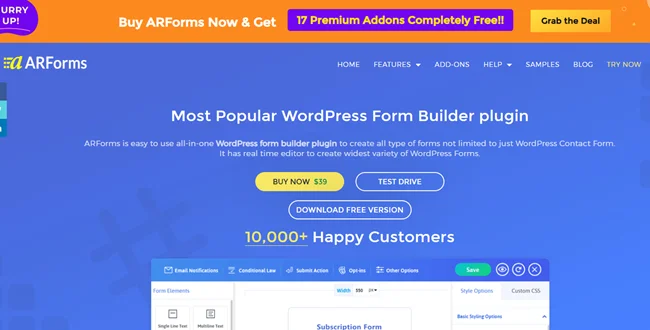
ARForms is an all-in-one form builder plugin for WordPress, designed to create all types of online forms. Whether it be a simple contact form, custom registration form or a complex multi-step form, ARForms can create everything in just a few minutes. Moreover, this plugin offers a friendly drag and drop interface to design your forms the way you want. With this plugin, you can get a wide range of styling options alongside over 33+ advanced form fields.
Key Features:
- User friendly drag and drop interface
- Advanced Conditional and Math logic
- Connects smoothly with over 24+ third party tools
- Full responsive designs
- Secured payment gateways integrations
- More than 33+ advanced form fields
- Quick live preview
- Advanced spam protection
- Multiple extensive styling options
- Built-in Popup Forms
- Powerful in-built form data analysis
- Over 50+ sample forms and templates
Best For : ARForms is best for beginners and advanced users who want everything in one plugin with no expensive addons.
WPForms Overview
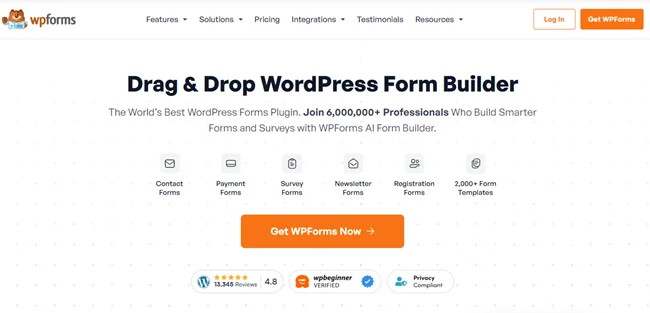
WPForms is one of the most popular WordPress form builder plugins, offering a beginner friendly interface to get started. This plugin focuses on ease of use first more than anyone else. The best part? WPForms offers over 2000+ form templates so you don’t have to rack your brain ever to build any form from scratch. Of course, it allows you to create your form from scratch with its simple drag drop form editor.
Key Features:
- Super easy to use
- Simple drag and drop interface
- Over 2000+ pre-built templates
- Smart conditional logic
- Advanced anti-spam protection
- Fully responsive designs and forms
- Sends automated form notifications
- Integrates with multiple payment gateways
- Smoothly connects with multiple email marketing tools
Best For: WPForms is best for beginners, small businesses and non tech-savvy people who are looking for a beginner friendly WordPress form plugin.
Gravity Forms Overview
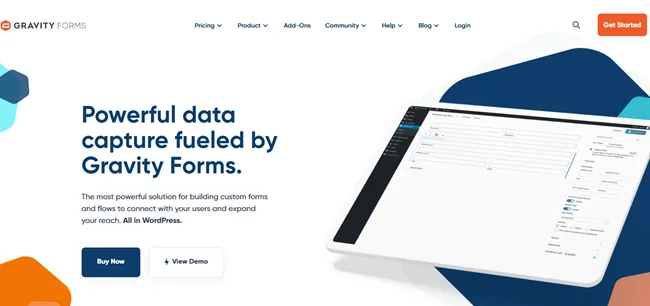
Gravity Forms is a powerful WordPress form builder plugin with all the advanced features you will ever need. Additionally, you can create any forms, be it a simple contact form or complex order form, with the help of gravity forms effortlessly. That’s why this is the best developer choice WordPress form plugin for many WordPress users wanting advanced features.
Key Features:
- Developer friendly
- Visual drag and drop form builder
- Preview Submissions
- Powerful conditional logic
- Advanced calculations and dynamic fields
- Over 30+ form fields
- Nested Forms
- Custom form CSS
- BYOA (Build Your Own Add-On)
- Generate Charts from form entries
- More than 500 hooks and REST API
- Display Entries on the Front End
- Advanced form security
Best For: Gravity Forms is best for developers and advanced users looking for powerful developer friendly features, deep customization and integration.
WPForms vs Gravity Forms vs ARForms: Feature Comparison
After understanding each plugin in detail, let’s compare each of its features and see who can stand on the top.Ease of Use and Form Builder Experience
No matter which form builder you go with, A WordPress form builder plugin’s first purpose is to be beginner friendly and easy to use. So that a WordPress user doesn’t need to code to create a form.We have tested and compared Gravity Forms vs WPForms vs ARForms in order to find out which one of them is the most friendly and easy to use interface. Moreover, we’ve compared each of them based on learning curve as well as customization options.
- WPForms: WPForms comes with a beginner-friendly drag and drop form editor. It is super easy to set up and get started so no learning curve. However, compared to others, WPForms offers less advanced customization options.
- Gravity Forms: Gravity Forms also offers a visual drag and drop form builder. However due to its advanced features, it has a steeper learning curve so definitely not beginner friendly. Still if you are a developer, it is an awesome choice as it comes with extensive customization options.
- ARForms: ARForms comes with a friendly and real time drag and drop form builder. It is super easy to use and setup, perfect for both beginners and advanced users. It offers basic styling options and if you opt for more, it offers customization with inline CSS.
Templates and Pre-Built Forms
Now, not everyone wants to build a form from scratch when they can easily kickstart their project using ready-to-go templates and sample forms. So let’s see which WordPress form builder got more to offer:- WPForms: WPForms has a vast set of over 2000 pre-built templates and sample forms. All templates are fully customizable and cover a wide range of forms such as contact form, payment forms, registration forms, survey and so many more.
- Gravity Forms: Gravity Forms offers 15 form templates to kickstart your online forms right away.
- ARForms: Offers more than 50+ sample forms and ready to launch templates. All these sample forms and templates are fully customizable with extensive styling options.
Integrations and Add-ons
Integrations and addons are important for any good WordPress form builder plugin as it helps automate the workflow and extend its current functionalities for future use cases.All these three WordPress plugins: ARForms, WPForms and Gravity Forms offer a wide range of popular third party integrations and advanced addons to go beyond core features. So let’s see what it got and compare each one of them to figure out who steals the spotlight.
- WPForms: WPForms smoothly connects with popular third party tools such as Mailchimp , PayPal, HubSpot, Zapier and many more. This plugin also offers advanced addons such as PDF, User Registration, Post Submissions, Offline Forms, Form Permissions and others.
- Gravity Forms: Gravity Forms takes the lead here by connecting with multiple marketing tools and payment gateways to offer more flexibility. Furthermore, it comes with advanced addons like File Upload Pro, Advanced Permissions, Image Hopper and so on.
- ARForms: ARForms comes with over 24+ third party integration including multiple email marketing tools and payment gateways. Also, it offers powerful addons such as User Signup, PDF Creator, Signature, SMS, Digital Download and more.
Pricing and Free Versions
Whenever looking for the best plugin, budget is something companies often think of. A WordPress form builder plugin is more than just a plugin, it’s an investment.If a plugin offers a free version, that’s your golden chance to test it before upgrading to the premium version. Thus, by using its free version you can easily get an idea how comfortable you are with its user interface.
So here we go:
WPForms Price:
- Free version available – WPForms Lite
- Basic Plan – $39.60/Year
- Plus Plan – $79.60/Year
- Pro Plan – $159.60/Year
- Elite Plan – $239.60/Year
Remember from second year, all plans will automatically renew yearly at regular price so now the starting will be $99.00 for WPForms Basic.
Gravity Forms Price:
- No free version available
- Basic License – $59/Year
- Pro License – $159/Year
- Elite License – $259/Year
Gravity Forms has three premium plans and the only difference is in the types of Addons you get based on plan so it gives you more flexibility
ARForms Price:
- Free version available with essential features – ARForms Lite
- ARForms Pro – $39 for Lifetime with all features and addons.
ARForms also comes with a 7 days money back guarantee with its ARForms Pro, making it risk free.
Customer and Technical Support
Whenever you get stuck somewhere while using a WordPress form builder plugin, a dedicated customer and technical support can help a lot. A quick and good technical support via multiple channels, community and forums is a must.- WPForms: WPForms has excellent customer support. If you are using its Basic or Plus plan, you get WPForms standard support through its email or extensive documentation. However, if you go for higher plans you get more Premium or Priority support.
- Gravity Forms : Gravity Forms is a great plugin with great support for all its paid users. Plus, it even offers priority support for its Elite License users. Moreover, it also offers detailed user guides, video libraries, community forums and so on.
- ARForms: ARForms is a user-friendly plugin with an awesome support team. In addition, the technical support team responds quickly within 24 hours and offers helpful guidance. Further, it comes with easy to understand documentations, Videos and blogs.
Final Verdict: Which Form Builder is Best for You in 2025?
Ultimately, we have seen and compared Gravity Forms vs WPForms vs ARForms right in front of you from every possible angel.Firstly, we’ve walked through each and every plugin in detail. Later we compared each of them based on their ease of use, pre-built templates, integrations, addons, prices and even good customer support.
However, the question remains the same. Which form builder is the best of them?
After testing each and every plugin by ourselves, we can say all of them are best in their own ways. Thus, there can never be a one shoe fit for all. Furthermore, every business and individual has different needs, requirements, technical skills and budget.
No need to rack your brain ! Here’s the final verdict of all these full comparison of WPForms vs Gravity Forms vs ARForms to make your decision and online forms:
Choose ARForms If:
- You want a balance of both ease of use and advanced features
- You want to pay one time only and get all updates, features and addons for lifetime
- You want a form builder with powerful form data analytics and an in-built popup builder.
Go With WPForms If:
- You are a beginner looking for a form plugin which is super easy to use
- You want multiple pre-built template options
- You want a free version and budget friendly form builder plugin for your business
Choose Gravity Forms If:
- You are a developer or advanced user looking for advanced features and extensive customization
- You want to build complex and custom forms
- You are looking for a wide range of addons and integrations
That is it for today! If you ask us, we would recommend going with ARForms. Why? The reason is simple. ARForms got the best of both sides.
ARForms has a modern and user-friendly interface, perfect for beginners and non tech-savvy people. Plus, This plugin also offers a robust set of developer friendly features such as easily customized with hooks, filters, and API support, allowing smooth integration and customization as well.
So what are you waiting for? Get ARForms right now and start creating your WordPress form with zero hassle.
FAQS About Gravity Forms vs WPForms vs ARForms
What is the difference between WPForms and Gravity Forms?
WPForms is an easy to use, beginner friendly WordPress form builder plugin. Meanwhile, Gravity Forms is a powerful form builder plugin for WordPress, offering advanced features for developers and tech-savvy people. WPForms is perfect for creating simple contact forms and multi-step forms while Gravity Forms is ideal for creating complex order forms.Which form plugin is best for WordPress?
ARForms is a form plugin which is best for WordPress due to its user-friendly interface and advanced features. Moreover, it allows you to create any kind of online form, be it a simple contact form or complex multi-step form, easily with its simple drag and drop live form editor.How much does gravity forms cost?
Gravity Forms cost starts at just $59/Year including multiple addons and integrations.Is there a free version of WPForms?
Yes, of course ! WPForms offers a free version in the WordPress plugin directory. Further, it allows you to create basic contact forms with user friendly drag and drop form builders.