5+ Best Ecommerce Plugins for WordPress in 2026 (Compared)


You’ve got the product. You’ve got the website. Now comes the part that actually decides whether you make a sale or lose a customer to a slow checkout page: picking the right ecommerce plugin.
And that choice is messier than it used to be. A few years back, “WordPress ecommerce” basically meant one name. Now you’re staring down a dozen tools, each claiming to be the fastest, the most complete, the easiest. Pick wrong, and you’re either stuck stitching together ten different add-ons to get basic functionality, or you’re paying for a bloated plugin stack that slows your site to a crawl right when a customer is trying to check out.
So let’s cut through it. Below is a real, working comparison of the plugins that matter in 2026 – what each one does well, where it falls short, and which one deserves the top spot on your shortlist.
Quick Comparison: Top WordPress eCommerce Plugins at a Glance
| Plugin | Best For | Starting Price | Standout Feature |
| StoreEngine | All-in-one stores (physical, digital, subscriptions, memberships) | Free, pro starting $99/year | Payments, affiliates, memberships & subscriptions built in |
| AffiliatePress | Launching and managing complete affiliate program | Free, pro starting $79/year | 25+ integrations, automatic payouts, multiple commission structures |
| WholesaleX | B2B and wholesale WooCommerce stores | Free, Pro starting at $129/year | Role-based wholesale pricing, bulk ordering, and B2B/B2C customer management built in |
| Easy Digital Downloads | Pure digital products | ~$99–$499/year by tier | Purpose-built file delivery & licensing |
| Ecwid | Multi-channel selling | Free, Pro tiers from ~$5/mo | Sync inventory across web, social, and mobile |
| WooCommerce | Maximum flexibility, huge ecosystem | Free (extensions cost extra) | Largest plugin/theme ecosystem in WordPress |
Let’s break each of these down properly.
1. StoreEngine – The All-in-One Winner for 2026
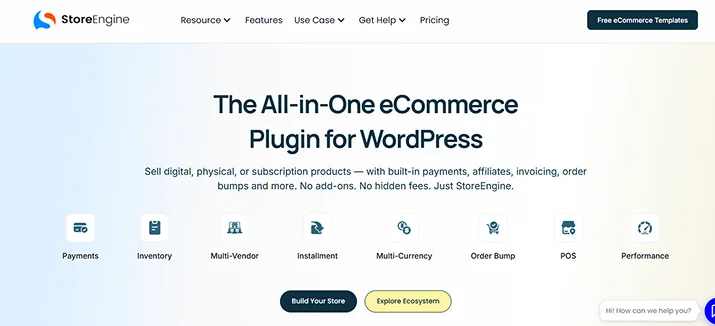
If there’s one theme running through every ecommerce plugin roundup this year, it’s plugin fatigue. Store owners are tired of installing fifteen different tools just to get checkout, subscriptions, affiliates, and inventory working together.
StoreEngine continues to dominate 2026 because it eliminates the traditional problem of needing 15–30 different plugins to run a modern store, replacing the need for separate checkout plugins, product templates, upsell tools, analytics add-ons, shipping extensions, and performance plugins with one connected system.
That’s not a small claim, and it’s worth unpacking why it holds up. Most WordPress store builders start with a core plugin and then bolt on extensions for every new need: one for subscriptions, another for memberships, a third for affiliates, a fourth for abandoned-cart recovery.
Each of those is a separate codebase, a separate update cycle, and a separate way for something to break. StoreEngine folds all of that into one system, and its architecture is built specifically with Core Web Vitals in mind, so it stays noticeably faster than a typical plugin-heavy WooCommerce setup.
Features:
- Built-in payments through Stripe, PayPal, Razorpay, Paddle, and more, plus offline options like cash on delivery
- Sells both physical and digital products
- Native memberships and subscriptions to gate premium content and run recurring billing
- Built-in affiliate management to track referrals and pay commissions
- Automatic tax calculation based on customer location
- Cart abandonment recovery with automated reminder emails
Pros:
- Noticeably faster page and checkout speeds out of the box
- Handles physical, digital, subscription, and membership models natively
- Very competitive multi-site pricing for agencies
- Developer friendly with a proper REST API and webhooks
Cons:
- Newer to the market than WooCommerce, so its extension/theme ecosystem is still growing
- Some advanced physical-store features (complex shipping rules, huge catalogs) are less battle tested than WooCommerce’s decade plus track record
- Migrating an existing large WooCommerce catalog over takes planning
Pricing: Free plan: Available Premium plan Starting $99/yearly.
Best for: Store owners, course creators, agencies, and subscription businesses who want one plugin instead of a patchwork of extensions.
2. AffiliatePress – Built for Modern WordPress Affiliate Programs
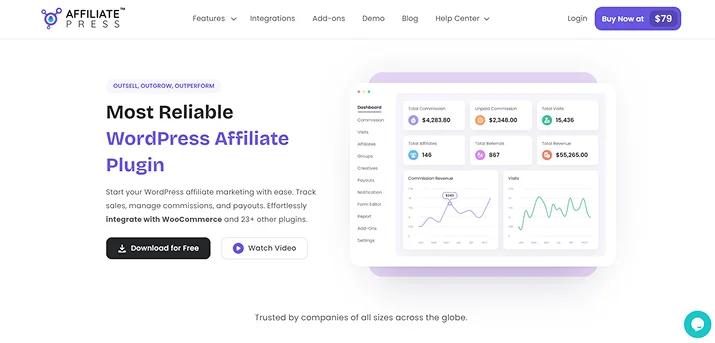
AffiliatePress is one of the best WordPress plugins for every eCommerce store owner who wants to increase their sales via affiliate marketing.
Integrating with over 25+ WordPress eCommerce plugins like WooCommerce, SureCart, Easy Digital Downloads, and WP EasyCart, AffiliatePress manages everything. It lets you create a complete affiliate program in just a few clicks, even if you’re a non techie. Moreover, you can ensure a smooth affiliate onboarding via custom signup, track sales in real time, manage custom commission structures and automate payouts via PayPal or Stripe.
Best of all, AffiliatePress gives each of your affiliates their own dedicated affiliate panel. Thus they can track their performance, access unlimited creatives and manage their own profiles. Plus, you can offer them unique QR codes, coupon codes and affiliate landing pages for better promotions. And to bring a sense of friendly competition, you can also create an affiliate leadership board that shows your top performing affiliates.
Features:
- Integrates smoothly with 25+ top WordPress plugins
- Real time commission tracking
- Multi-level affiliate commission
- Unique QR code and coupon-based tracking
- Customizable affiliate signup form
- Supports recurring, tiered-based, product-wise, group-wise and lifetime commissions
- 1 click or automatic payouts via PayPal or Stripe
Pros
- Beginner friendly
- Modern, intuitive centralized analytics dashboard
- Easy affiliate management
- Advanced affiliate fraud detection and refund protection
Cons
- Some advanced features needs pro version
- Not affiliate link management plugin
Pricing: Free plan; Available premium plan starts from $79/Year.
Best for: All eCommerce store owners who want to increase their sales with zero-risk, high-return affiliate marketing programs.
3. WholesaleX – Built for B2B and Wholesale WooCommerce Stores
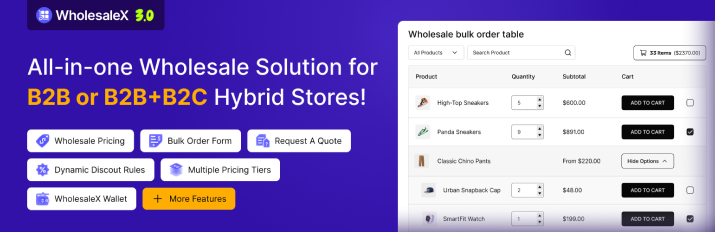
WholesaleX is a comprehensive WooCommerce wholesale plugin designed to simplify managing B2B and B2C clients, wholesale rates, bulk orders, and tailored buyer journeys within one store and with minimal setup.
It allows store owners to run wholesale and retail operations together, offering different prices, discounts, and purchasing experiences based on customer roles. Beyond pricing, WholesaleX provides custom registration forms, quote requests, and bulk ordering tools to simplify business-to-business sales.
Features:
- Role-based wholesale pricing and quantity-based discounts
- Custom B2B registration forms with customer approval
- Bulk order forms and saved purchase lists for repeat orders
- Request a Quote and built-in customer conversations
- Product and price visibility restrictions based on user roles
- Flexible B2B, B2C, and hybrid store configurations
Pros:
- Combines multiple wholesale management features in one plugin
- Supports both B2B and B2C customers within the same WooCommerce store
- Flexible pricing rules for different customers, products, and order quantities
- Simplifies wholesale ordering and customer management without custom coding
Cons:
- Requires WooCommerce and cannot function as a standalone e-commerce platform
- Some advanced wholesale features require the Pro version
- Complex pricing and customer-role configurations may require additional setup
Pricing: Free version available. Premium plans start at $129/year. Lifetime licenses are also offered.
Best for: E-commerce merchants using WooCommerce who seek a unified B2B and wholesale platform that provides key wholesaling capabilities without the intricate setup required by Wholesale Suite or B2BKing.
4. Easy Digital Downloads (EDD) – Purpose-Built for Digital Sellers
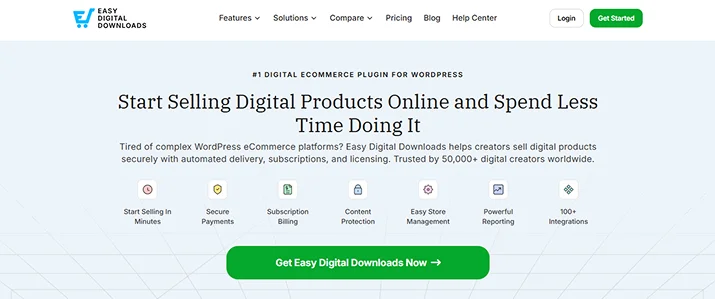
Selling software, ebooks, or courses and nothing physical? Then EDD is sure worth a serious look. It’s the go-to solution for digital creators like software sellers, course creators, musicians, PDF creators, and game developers.
On top of that, it removes unnecessary features such as shipping and physical inventory in favor of a streamlined checkout for instant downloads, licensing and subscriptions.
Features:
- Unlimited digital products
- Secure file delivery and download tracking
- Software licensing and license-key management
- Recurring payments and subscription support (via extension)
- Clean, blog-post-style product creation workflow
- Detailed sales and earnings reporting
Pros:
- Purpose-built for digital goods, so it’s lighter and simpler than a general-purpose cart
- No transaction fees beyond your payment gateway
- Very quick to set up
- Strong reporting and customer management built in
Cons:
- Not designed for physical products; shipping and inventory need other plugins entirely
- Core payment gateways beyond PayPal/basic options require paid extensions
- Costs scale up quickly once you need multiple extensions (Recurring Payments, Software Licensing, etc.)
- Some users report file-protection settings need careful configuration to work as expected
Pricing: Free plan: Available Premium plan Starting $99/yearly.
Best for: Digital-only businesses that don’t need shipping, variable inventory, or physical logistics.
5. Ecwid by Lightspeed – Multi-Channel Selling
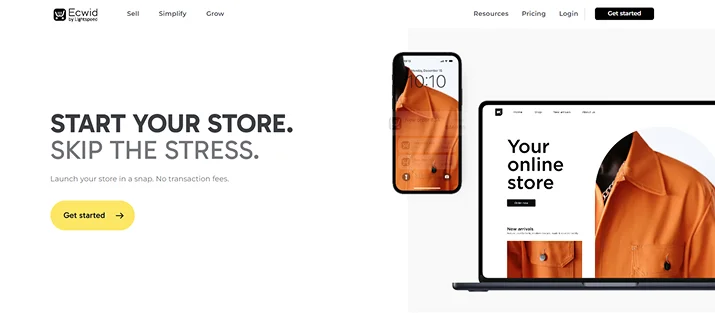
Ecwid’s pitch is different from the rest. It’s built for merchants selling in more than one place at once. It syncs inventory across your WordPress site, social channels, and mobile apps from a single dashboard, and it works with virtually any WordPress theme without requiring a redesign, making it useful if you don’t want to rebuild your site around your store.
Features:
- Single inventory synced across websites, social media, and marketplaces
- Fully hosted, secure checkout
- Works with any WordPress theme
- Mobile app for managing orders on the go
- Multi currency and multi language support
Pros:
- Genuinely strong for sellers who already sell on Instagram, Facebook, or marketplaces
- Fully hosted checkout reduces server load and security burden
- Free tier available for very small catalogs
- Easy to bolt onto an existing site without a redesign
Cons:
- Less deep customization than WooCommerce for a dedicated online store
- Free tier product limits push serious sellers to paid plans quickly
- Not built for complex physical-product logistics the way WooCommerce is
- Fewer native subscription/membership options compared to StoreEngine or FluentCart
Pricing: Free plan: Available Premium plan Starting $5/monthly.
Best for: Merchants who sell across multiple channels and want one inventory source of truth.
6. WooCommerce – Still the Default, For a Reason
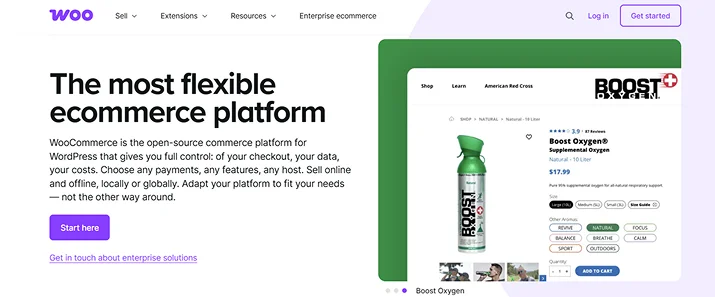
WooCommerce powers over 4 million active stores and remains the default choice for WordPress ecommerce. Its most recent major version brought meaningful performance improvements such as fewer SQL queries at checkout and on admin pages, asynchronous widget loading, and consolidated cache priming for product data.
It’s free at the core, backed by Automattic, and handles physical goods, digital downloads, bookings, memberships, and virtually anything else through its extension marketplace, with no other WordPress ecommerce solution matching its ecosystem depth.
Features:
- Free core plugin with unlimited products
- Sells physical, digital, subscription, rental, and booking products through extensions
- Thousands of themes and third-party integrations
- Works with nearly every payment gateway
- Deep code-level customization via hooks and filters
- Large developer and community support base
Pros:
- Largest ecosystem of any WordPress ecommerce plugin
- Free to start, extremely flexible for complex or unusual store setups
- Backed by Automattic with frequent updates
- Scales to very large catalogs with the right hosting and extensions
Cons:
- A fully equipped store can cost $500 to $2,000 per year in extensions alone
- Without caching and optimization plugins, its checkout page can load around 964 KB across 32 requests
- Every extension is a separate update to track and a potential conflict point
- Steeper technical learning curve than newer all-in-one alternatives
Pricing: Free plan: Available Premium plan Starting $99/yearly.
Best for: Store owners who need deep, code-level customization and are willing to manage a larger plugin stack to get it.
How to Choose the Right Ecommerce Plugin for Your Store
Before you commit, run through these questions:
What are you actually selling?
Physical goods, digital files, memberships, subscriptions, or a mix? A plugin built for one model often handles the others poorly.
How many separate tools will you need to stitch together?
Every extra plugin is a maintenance cost and a potential point of failure.
What does it cost at scale?
A cheap starting price can balloon once you add the extensions a growing store actually needs.
How does it affect site speed?
Slow checkout pages directly cost you sales, this matters more than almost any single feature.
Do you need multi-site or agency licensing?
If you manage client sites, per-site pricing adds up fast.
Key takeaway: If your store needs more than one selling model, say, physical products today and a membership tier down the road, then an all-in-one plugin like StoreEngine avoids the compounding cost and complexity of adding separate extensions for each new feature.
Final Verdict
If you want the short version: WooCommerce remains the safest, most extension rich choice if you’re prepared to manage a bigger plugin stack, and EDD is still the cleanest option if you’re purely digital.
However, for most store owners in 2026, especially anyone selling more than one type of product or planning to add memberships, subscriptions, or affiliates down the line, StoreEngine is the strongest all-in-one pick.
It covers more ground natively, costs meaningfully less at scale and keeps your site lighter by design instead of by addon.
Start with what you’re selling today, but choose a plugin that won’t box you in tomorrow.
You may also like:
- 25+ WooCommerce Plugins for Your eCommerce Business in 2026
- How to Build a Survey Form in WordPress? (Step By Step)
- 8 Best WordPress Membership Plugins Compared (2026)
FAQs
Which WordPress ecommerce plugin is best for physical products and digital downloads?
For physical products, WooCommerce offers a comprehensive solution with shipping, inventory, and variation management. For digital-only stores, Easy Digital Downloads provides specialized features like secure file delivery, license management, and automated digital product handling.
Do I need coding knowledge to set up a WordPress ecommerce store?
Not necessarily! Beginner friendly plugins walk you through setup with guided wizards, while more flexible tools like WooCommerce require some familiarity with WordPress basics but no actual coding.
How much does a WordPress ecommerce plugin cost?
It ranges widely, from free core plugins with paid extensions, to flat annual licenses. As the pricing tables above show, the real cost only becomes clear once you count every extension a serious store needs, not just the plugin’s advertised starting price.
Is WooCommerce still the most popular option in 2026?
Yes, by raw install numbers. But “most popular” and “best fit for your store” aren’t the same thing. An all-in-one plugin can be a better long term choice if you want to avoid stacking extensions.