5 Best WordPress CRM Plugins & Tools for Leads and Sales in 2026


A form submission is not a managed lead. It is only the moment someone raises their hand. What happens next is where many WordPress businesses struggle.
A good WordPress CRM plugin should give every lead somewhere to go after the form is submitted. It should help you understand who the person is, what stage they are at, who owns the next action, and what has already happened.
When I compare CRM tools, that workflow matters more than the size of the feature list. A plugin with 100 features is not useful if your team still has to copy customer data between four systems.
For this comparison, I looked at five different approaches: Bit CRM, FluentCRM, Jetpack CRM, Groundhogg, and Zoho CRM. Four operate inside WordPress. Zoho CRM is the cloud alternative.
Quick Comparison: Best CRM Plugins & Tools for WordPress
| CRM | Best suited to | CRM approach | Starting price* |
| Bit CRM | Leads, deals, invoicing, complete sales operations | WordPress-native sales CRM | $169 one-time |
| FluentCRM | Email campaigns and lead nurturing | WordPress-native marketing CRM | $103/year |
| Jetpack CRM | Freelancers and client management | WordPress-native client CRM | $11/month, billed yearly |
| Groundhogg | Funnels and marketing automation | WordPress-native CRM + automation | $20/month, billed yearly |
| Zoho CRM | Larger sales teams and cross-department CRM | Cloud CRM | $14/user/month, billed yearly |
*Pricing checked in September 2026. Promotions and plan details can change.
How I Compared These CRM Tools
I did not treat every plugin as if it were trying to solve the same problem.
A marketing CRM should be good at segmentation, campaigns, sequences, and nurturing. A sales CRM should make leads, deals, follow-ups, activities, and revenue easy to track. A client-management CRM should be judged more on quotes, invoices, transactions, and ongoing customer work.
I also looked at pricing, WordPress integration, automation, billing, ecommerce support, and what happens to customer data after it enters the CRM.
That distinction matters because the “best CRM” can change completely depending on what happens after your form gets submitted.
1. Bit CRM: Best for Managing a Sales Pipeline Inside WordPress
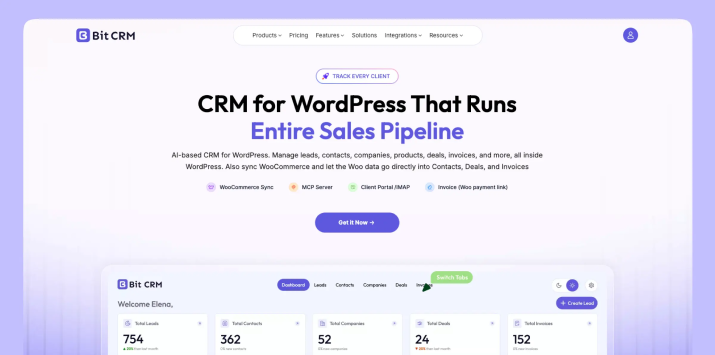
Bit CRM takes the most traditional sales-CRM approach of the WordPress-native tools in this comparison.
Instead of starting with a subscriber list, it starts with leads, contacts, companies, and deals.
That difference becomes obvious once you follow a customer through the system. A new enquiry can begin as a lead, be qualified and converted, become connected to a company, move through a deal pipeline, carry products or services, and eventually reach invoicing.
The useful part is that the related sales activity stays attached to those records. Tasks, meetings, calls, notes, email, attachments, products, invoices, and history do not have to become separate pieces of information.
Bit CRM also supports Kanban deal pipelines, custom fields, tags, workflow automation, WooCommerce customer syncing, WooCommerce products inside deals and invoices, client portal access, REST API access, IMAP email, and payment workflows.
Where Bit CRM Stands Out
I would look at Bit CRM when the WordPress site is already close to the sales process.
Think of an agency receiving project enquiries, a consultant tracking opportunities, a B2B company managing leads, or a WooCommerce business that wants customer and order activity connected to CRM records.
Its invoicing is particularly relevant for that type of workflow. Products can be attached to deals and invoices, and WooCommerce products can also be reused rather than recreated manually. The CRM can then keep customer, deal, invoice, and activity information connected.
It also has a polished AI angle. Bit CRM has a built-in MCP Server with 57 useful tools. Compatible AI clients can search CRM records, update supported data, create activities and invoices, inspect workflows, and perform other permission-controlled CRM actions.
Bit CRM is available as a free integration in both Bit Integrations and Bit Flows. ARForms is also supported, so you can send form data into Bit CRM. Use Bit Integrations for simple connections, or Bit Flows for advanced automation with AI Agent, conditions, Router, Iterator, and hundreds of external platforms.
The client portal is another practical feature for service businesses. Clients can receive controlled access to approved deals, invoices, meetings, calls, notes, and account information without being given normal WordPress admin access.
Pros
- Connected sales model for leads, deals, products, activities, invoices, workflows, WooCommerce data, and client access.
- Lifetime pricing may appeal to businesses that prefer avoiding another annual CRM subscription.
Cons
- As a newer CRM, specialized requirements are worth checking before migration.
- It is primarily a sales CRM, so newsletter-first or bulk email workflows are not its core focus.
Pricing: Bit CRM currently offers lifetime pricing. Starter costs $169 one-time for one site, Plus is $289 for five sites, and Agency is $359 for unlimited sites.
Choose Bit CRM If:
Choose it when you want a sales CRM for WordPress that connects leads, companies, deals, sales activities, products, invoices, customer access, and automation without moving the core CRM into a separate SaaS dashboard.
2. FluentCRM: Best for Email Marketing and Lead Nurturing
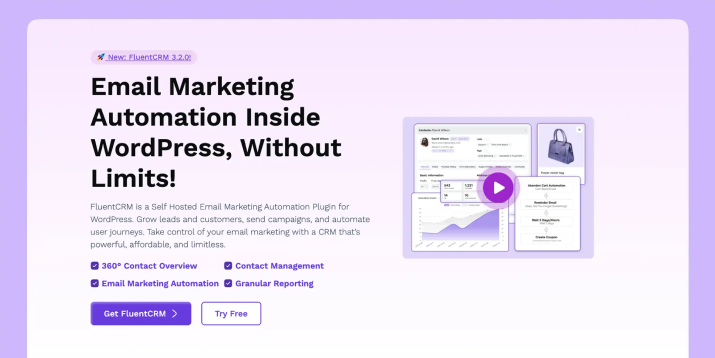
FluentCRM is a CRM, but its strongest use case is email marketing and lifecycle automation inside WordPress.
Contacts sit at the center, but much of the workflow revolves around what happens next: applying tags, building segments, sending campaigns, enrolling contacts into sequences, triggering automations, and responding to ecommerce behavior.
That makes FluentCRM useful when a lead entering your site is more likely to begin a nurture sequence than enter a traditional sales pipeline.
For example, if someone downloads a lead magnet, joins a newsletter, purchases a course, abandons a cart, or registers as a user, FluentCRM can use that activity to decide which email or automation comes next.
Current features include email campaigns, recurring campaigns, sequences, visual automations, segmentation, company records, ecommerce automation, AI-assisted email writing, contact summaries, and MCP tools.
Where FluentCRM Stands Out
FluentCRM stands out when customer activity inside WordPress needs to trigger marketing automatically. A new subscriber, purchase, tag change, or other contact action can become the starting point for a campaign, sequence, or follow-up without exporting the audience to another platform.
That gives marketers a useful advantage: the contact record and the marketing journey stay close together. It is especially practical for businesses where email nurturing is an ongoing part of turning website visitors and customers into repeat buyers.
Pros
- Keeps marketing data inside WordPress and does not price licenses by contact count.
- Strong combination of campaigns, sequences, segmentation, ecommerce triggers, and automation.
Cons
- Not structured primarily around opportunity pipelines, commercial deal records, quotes, or invoicing.
- Some more advanced ecommerce and marketing capabilities depend on FluentCRM Pro.
Pricing: FluentCRM Pro starts at a standard $103 for the first year for one website. Renewal is $129 per year. FluentCRM doesn’t offer lifetime pricing.
Choose FluentCRM If
Choose it when your main CRM workflow is about nurturing contacts through campaigns and automated email journeys rather than managing deals from qualification to invoice.
3. Jetpack CRM: Best for Freelancers and Client-Based Work
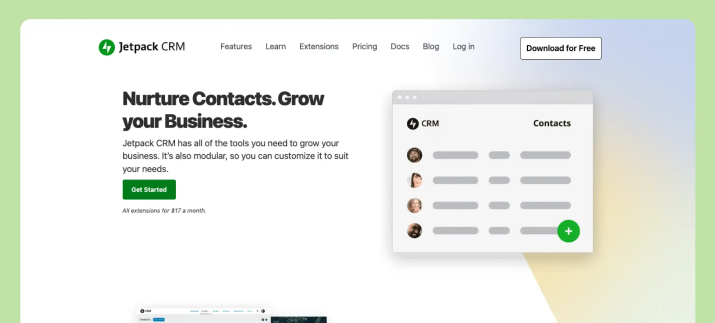
It is less about complex marketing automation and more about maintaining a useful record of the people you actually do business with.
Contacts sit at the center. Around those contacts you can manage quotes, invoices, transactions, tasks, forms, and activity.
This simpler structure fits freelancers, consultants, and smaller service businesses particularly well.
If you mainly want to answer “Who is this client?”, “What did I quote?”, “Have I invoiced them?”, and “What still needs to be done?”, you may not need a complex sales automation platform.
Jetpack CRM includes core contact management, quotes, invoices, transactions, tasks, forms, and a sales funnel, while extensions add features such as WooCommerce sync, payment connections, email marketing integrations, and additional reporting.
There is also a client portal where customers can view quotes, invoices, transactions, and selected tasks.
Where Jetpack CRM Stands Out
Jetpack CRM stands out because it keeps day-to-day client administration easy to follow. Contact details, quotes, invoices, transactions, tasks, and activity can sit around the same client record, which is useful when the relationship matters more than a complex opportunity pipeline.
The modular approach also keeps the setup manageable. A freelancer or small service team can begin with the core CRM and add WooCommerce, payments, reporting, or other extensions later instead of configuring a larger system from day one.
Pros
- Easier to understand than many larger CRM systems and covers practical client-management needs.
- Useful free core before deciding whether paid extensions are needed.
Cons
- Some workflows depend on extensions or paid bundles.
- Accepted quotes cannot currently be converted directly into invoices, so a separate invoice still has to be created.
Pricing: The core CRM is free. The Freelancer plan costs $11 per month billed yearly, while Entrepreneur costs $17 per month billed yearly and includes the wider extension set.
Choose Jetpack CRM If
It is a sensible choice for freelancers and small service businesses that care more about clients, quotes, invoices, transactions, and tasks than advanced marketing automation.
4. Groundhogg: Best for WordPress Marketing Funnels
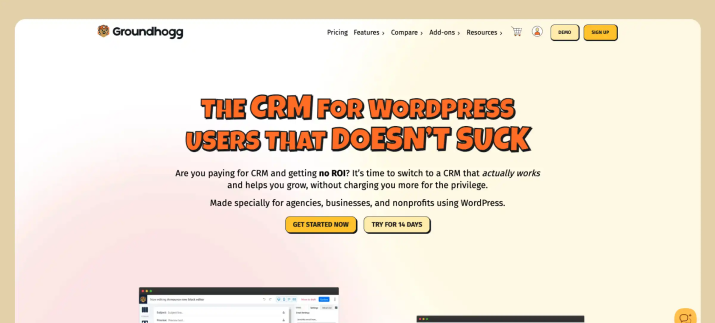
Groundhogg sits somewhere between a traditional CRM and a marketing automation platform.
You can store and segment contacts, but the platform is also designed to react to behavior and move contacts through automated flows.
The free plugin handles contact management, segmentation, email campaigns, and automation flows. As you move through the paid plans, Groundhogg adds capabilities such as company records, sales tools, ecommerce integrations, SMS integrations, conditional logic, and more advanced CRM functionality.
Where Groundhogg Stands Out
Groundhogg stands out when the CRM needs to react to customer behavior, not just store contact details. Its visual automation flows can branch based on actions and move people through different follow-up paths as they interact with forms, emails, purchases, or other WordPress events.
Pros
- Combines contact management, email marketing, segmentation, and visual automation inside WordPress.
- Feature-based pricing means adding more contacts does not automatically move you into a higher contact tier.
Cons
- Businesses needing sales, ecommerce, SMS, or more advanced integrations should check the required paid tier carefully.
- Can be more system than you need if the only requirement is basic contact and client tracking.
Pricing: Groundhogg Basic starts at $20 per month billed annually. Plus is $40, Pro $50, and Agency $100 per month, also billed annually.
Choose Groundhogg If
Choose it when you want WordPress CRM data and marketing automation to work together, especially when funnels and behavior-based customer journeys are central to the business.
5. Zoho CRM: Best When the CRM Needs to Live Outside WordPress
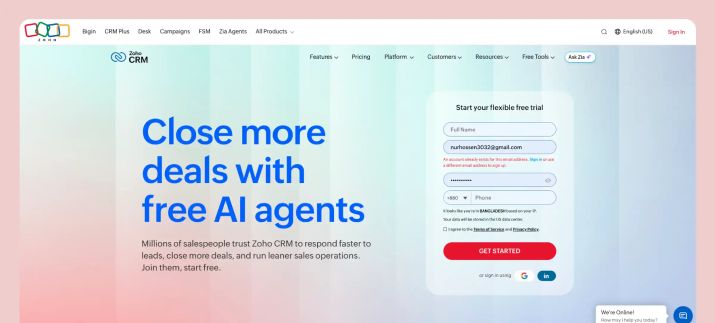
Zoho CRM is the only cloud CRM in this comparison rather than a WordPress-native plugin.
That is exactly why I would keep it in the comparison. At some point, a growing business may decide that WordPress should capture the lead, but WordPress should not necessarily run the entire CRM.
Zoho CRM provides a mature cloud environment for leads, contacts, companies, deals, activities, workflow rules, sales processes, reporting, and broader CRM operations.
For an ARForms user, there is also a particularly relevant connection: ARForms has a documented Zoho CRM add-on that can create Zoho contacts after a form submission. That is a good example of the form and CRM doing separate jobs. The form captures the enquiry. The CRM takes over from there.
Where Zoho CRM Stands Out
Zoho CRM stands out when the website is only one part of a larger sales operation. ARForms can capture the enquiry in WordPress, while the sales team works with leads, deals, activities, reporting, and internal processes in a dedicated cloud CRM.
This separation becomes useful when sales work involves people who rarely touch WordPress. The CRM can keep running independently of the website, while forms, APIs, and automation tools continue sending qualified customer data into the system.
Pros
- Mature cloud CRM with a large integration ecosystem and access beyond the WordPress team.
- Removes the CRM workload itself from the WordPress hosting environment.
Cons
- Website data has to move into Zoho via integrations, APIs or automation.
- Per-user pricing increases if more team members need access.
Pricing: Zoho CRM has a free edition for up to three users. With annual billing, Standard starts at $14 per user/month, Professional at $23, Enterprise at $40, and Ultimate at $52.
Choose Zoho CRM If
Choose it when CRM operations need to serve a wider sales organization and you are comfortable treating WordPress as one lead source rather than the place where the CRM itself runs.
Your Form Captures the Lead. The CRM Should Manage What Happens Next.
A better form like ARForms can improve the quality of the information you collect. Conditional logic can ask better questions. Multi-step forms can reduce friction. Validation can keep bad data out. But the form should not become your CRM.
Once someone submits an enquiry, there needs to be a clear next step.
- For a sales team, that may mean creating a lead, assigning an owner, scheduling a follow-up, opening a deal, and eventually generating an invoice.
- For a marketing-led business, it may mean tagging the contact, putting them into a segment, and beginning a nurture sequence.
- For a freelancer, it may simply mean creating a client record and preparing a quote.
That is why the CRM should be selected around what happens after submission, not just around which plugin has the longest feature page.
Sales CRM vs Marketing CRM: Choose by Workflow
The easiest distinction is what sits at the center.
A sales CRM revolves around opportunities: leads, companies, deals, stages, follow-ups, activities, quotes, products, and invoices.
A marketing CRM revolves around audiences: contacts, tags, segments, campaigns, sequences, behavior, and nurture automation.
Bit CRM and Zoho CRM lean toward the sales side. FluentCRM is clearly marketing-first. Groundhogg crosses both areas. Jetpack CRM sits closer to ongoing client management.
None of those approaches is automatically better. The better question is what you need to manage once a new lead reaches your site.
Final Thoughts
If I had to reduce this comparison to one rule, it would be this:
Do not buy the CRM with the most features. Buy the CRM that removes the most manual steps from your actual customer workflow.
For email-heavy lead nurturing, FluentCRM and Groundhogg deserve a close look. For freelancers and client-service work, Jetpack CRM keeps things straightforward. Zoho CRM is the more logical choice when the sales operation needs to live beyond WordPress.
Bit CRM makes the most sense when WordPress itself is part of the sales operation and you want leads, companies, deals, activities, products, invoices, customer access, and automation connected inside the site.
Before choosing any CRM for WordPress, follow one real lead from the moment they submit your form until they become a paying customer. Write down every tool someone has to open and every piece of information that has to be copied manually.
The CRM that removes the most unnecessary steps is usually the right one.
You may also like