5 Best Multi-Vendor Marketplace Software for WordPress (2026)


Building a marketplace on WordPress is no longer a risky experiment. Today, real businesses run multi-vendor platforms that sell products, downloads, bookings, and services at scale.
Yet most marketplaces fail for one simple reason. They choose software based on feature lists instead of how vendors actually work, how it handles payouts, and how the system behaves under real traffic.
Because the best marketplace software for WordPress is not the one with the most features. It is the one that stays stable, keeps vendors active, and supports growth without forcing painful rebuilds later.
This guide compares the top marketplace software for WordPress based on real usage, vendor experience, monetization flexibility, and long-term reliability. Each option is explained clearly, so you can choose what fits your business, not marketing hype.
How We Evaluated Marketplace Software for WordPress
Not all marketplace plugins succeed for the same reasons. Popularity alone does not make a plugin “best,” but it often signals proven reliability.
These comparison criteria were used to evaluate each marketplace solution for this blog.
1. Adoption and real-world usage
Plugins used by a large number of active marketplaces proves resilient. Because real traffic, real vendors, and real orders expose weaknesses early and force improvements.
2. Update frequency and maintenance
Marketplace plugins depend heavily on WooCommerce and WordPress core updates. So consistent update cycles are necessary for long-term viability and lower security risk.
3. Vendor experience and frontend usability
Bad vendor experience kills marketplaces. Plugins that offer clear frontend workflows for product submission, order handling, and earnings tracking keep vendors longer.
4. Monetization flexibility
High growth marketplaces need diverse revenue models to keep growing. So, the ability to support commissions, subscriptions, and varied payout rules matters more than fixed pricing logic.
5. Support quality and documentation
Marketplaces are revenue-dependent systems. So, clear documentation and responsive support are essential to reduce operational risk when problems appear.
Top 5 Marketplace Software for WordPress Compared
In this section, we compare the five most widely used marketplace software options for WordPress, highlighting where each one performs best and the type of marketplace it is built to support.
1. Dokan Multivendor Marketplace

Dokan is one of the most widely adopted marketplace plugins for WordPress. It is often chosen by site owners who want to launch quickly without managing complex configurations.
Its strongest advantage is the frontend vendor experience. Vendors can manage products, orders, earnings, and profiles without accessing the WordPress dashboard. This reduces onboarding friction and lowers support requests.
Compared to more advanced plugins, Dokan offers deep customization for speed and usability. That balance explains its popularity among first-time marketplace owners.
Key Features:
- Frontend vendor dashboard
- Vendor-specific store pages
- Global, vendor-level, and product-level commissions
- Fixed and percentage commission structures
- Withdrawal request system
- Automated payouts with Stripe Connect and PayPal Marketplace (Pro)
- Reverse withdrawal system for cash-on-delivery orders (Pro)
2. MultiVendorX
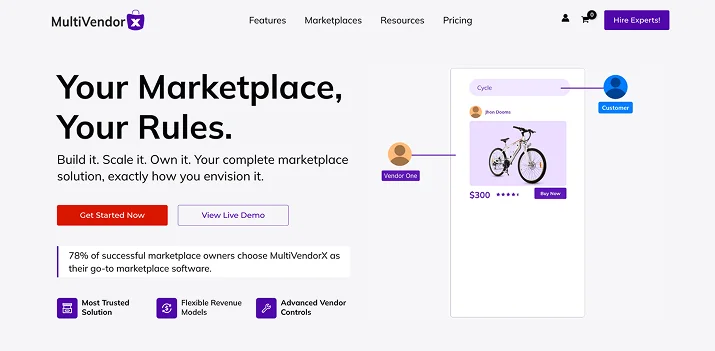
MultiVendorX is known for offering essential marketplace functionality through a generous free version. This makes it a common choice for testing ideas before committing to premium tools.
It covers the basics well, including vendor registration, product submission, commissions, and payouts. Some advanced workflows require add-ons, but the entry barrier remains low.
Compared to WCFM or Dokan, MultiVendorX prioritizes accessibility over advanced automation. That tradeoff works well for early-stage validation.
Key Features:
- Frontend vendor dashboard
- Vendor registration and approval workflows
- Single product multiple vendors support
- Commission management
- Scheduled or manual payouts
- Marketplace setup wizard
3. WCFM Marketplace

WCFM Marketplace is designed for flexibility and control. It offers more settings than most competitors, both for admins and vendors.
This plugin supports a wide range of marketplace models, including physical products, digital goods, bookings, subscriptions, and rentals. Vendors receive advanced dashboards, while admins can fine-tune permissions and workflows.
Compared to Dokan, WCFM has a steeper learning curve. In return, it offers deeper customization and stronger scalability for complex marketplaces.
Key Features:
- Advanced frontend vendor dashboard
- Granular vendor capability management
- Product, order, inventory, and coupon controls
- Built-in withdrawal system with multiple payout methods
- Transaction ledger and commission tracking
- Vendor-level shipping rules
- Vendor support tickets and inquiries
- Native integrations with bookings, subscriptions, auctions, and rentals
4. WC Vendors
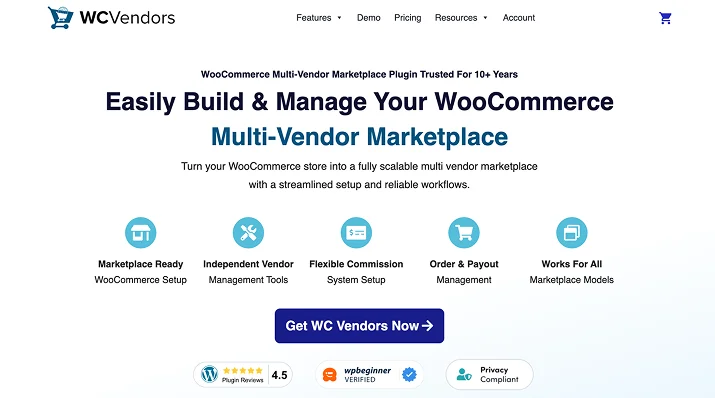
WC Vendors has a long-standing reputation for stability and performance. It focuses less on flashy features and more on predictable behavior at scale.
The plugin is lightweight and built on native WooCommerce data structures. With the Pro version, vendors can manage products and orders from the frontend, reducing admin overhead.
Compared to feature-heavy plugins, WC Vendors appeals to site owners who value reliability and controlled growth.
Key Features:
- Frontend product submission and order management (Pro)
- Lightweight WooCommerce-native architecture
- Flexible and tiered commission options (Pro)
- Vendor coupon management (Pro)
- Customizable vendor store pages
- Vendor vacation mode
5. YITH Multi Vendor
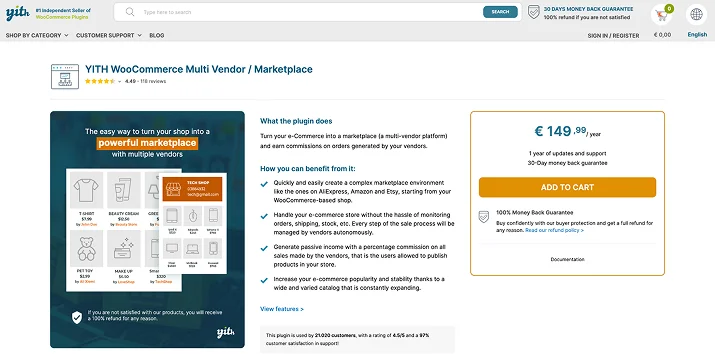
YITH Multi Vendor is commonly used by store owners already invested in the YITH plugin ecosystem. Its main advantage lies in compatibility rather than specialization.
The plugin supports standard multi-vendor workflows and integrates smoothly with other YITH extensions. While it may not suit highly complex marketplaces, it performs reliably for simpler setups.
Compared to WCFM or WC Vendors, YITH Multi Vendor favors ease of integration over deep customization.
Key Features:
- WooCommerce-based multi vendor support
- Vendor store pages
- Centralized commission management
- Vendor registration and moderation
- Store manager roles
- Vendor specific shipping rules
Comparison Summary: Which Marketplace Plugin Fits Your Business
No marketplace plugin is objectively “best” for every WordPress site. The right choice depends on how you plan to launch, the level of control you need, and how your marketplace will grow over time.
Best for fast launches: Dokan and MultiVendorX reduce setup friction and simplify vendor onboarding. They are commonly chosen by first-time marketplace owners.
Best for large or complex marketplaces: WCFM Marketplace and WC Vendors offer deeper control, scalability, and compatibility with advanced WooCommerce extensions.
Best for service-based or niche platforms: WCFM Marketplace and WC Vendors work well with bookings, subscriptions, and digital workflows.
Best for budget validation: MultiVendorX allows site owners to test marketplace ideas without high upfront costs.
Best for YITH-based stores: YITH Multi Vendor fits best when the wider YITH ecosystem is already in use.
Things You Should Avoid When Choosing Marketplace Software
This section highlights the most common mistakes site owners make when choosing marketplace software and explains how to avoid them before they impact growth.
1. Choosing features over business model
Not every plugin suits every marketplace type. Product-focused plugins may struggle with services or bookings.
2. Ignoring vendor experience
Complex dashboards and unclear workflows drive vendors away. Front-end usability directly impacts retention.
3. Underestimating scalability
Plugins that work for ten vendors may fail at one hundred. Update history and support quality matter.
4. Locking into rigid monetization
Early commission decisions can limit future growth. Flexible payout and pricing models reduce long-term risk.
Make the Right Choice for Your WordPress Marketplace
Choosing marketplace software for WordPress is a long-term decision. The plugin you select will shape how vendors operate, how revenue flows, and how easily your platform can grow.
There is no universal best option because each plugin targets a distinct stage of business maturity and technical complexity. Dokan remains the leader for speed-to-market and polished frontend UX, offering the most ‘complete’ out-of-the-box experience for fast launches.
WCFM Marketplace is the power-user’s choice, providing granular control and extensive feature depth for complex, custom logic, though it carries a steeper learning curve. WC Vendors differentiates itself as the stability specialist, built on a lightweight, WooCommerce-native architecture that is fully optimized for High-Performance Order Storage (HPOS) and high-volume scaling.
The key is alignment. When the software matches your business model, vendor expectations, and growth plans, the marketplace becomes easier to manage and harder to break.
Start simple if you need speed. Choose flexibility if you expect complexity. Prioritize stability if you are building for the long run.
You May Also Like:
- 8 Best Free WordPress Form Plugins Compared (2026)
- 10 Proven Ways to Get More Form Submissions (and Build Trust)
- Best WordPress Popup Plugins for Your Site
FAQs: Marketplace Software for WordPress
Choosing marketplace software often raises the same practical questions for WordPress site owners. If you are comparing plugins or planning your first launch, this section clarifies what to expect before making a decision.
1. What is the best marketplace software for WordPress?
There is no single best option. Dokan is widely used, but the right choice depends on your business model and growth plans.
2. Can you build a WordPress marketplace without coding?
Yes. Most popular marketplace plugins provide frontend dashboards and setup tools.
3. Which marketplace plugin works best with WooCommerce?
Dokan and WCFM Marketplace are among the most commonly used WooCommerce-based solutions.
4. Are free marketplace plugins reliable long-term?
Free versions can support early stages, but growing marketplaces usually require premium features.
5. Can you switch marketplace plugins later?
Yes, but migration involves complexity. Choosing a plugin aligned with long-term goals reduces disruption.