
8 Best Ways To Grow Your Business With Web Form Builder


Web forms, automated workflows, and seamless data collection, these are some of the popular ways to grow your business and capture leads.
Yet, a powerful web form builder can do much more than just collect data. The best part is, you don’t need to invest in multiple form plugins or spend a fortune for that.
It is perfectly possible to grow your business successfully with a web form builder.
We’ve explored top strategies, success stories and the latest trends to introduce you to the best ways to grow your business with the right web form builder in 2025 and beyond.
So without any further ado, let’s jump straight in.

With a right web form builder, you can easily create online forms that attract the right leads for your business.
Creating a beautiful lead generation form means offering eye catching rewards such as free e-book, discount or free trail in exchange of email.
This way you can easily grow your email list.
Again, you can use multi-step forms or conditional logic to gather more user info without overwhelming them. You just have to segment your questions in a strategic way.
This way, you can easily capture high quality leads with online forms. You can capture leads by making online forms such as:
ARForms Pro Tip:
Always remember to keep your online forms simple and short. Use fewer fields, add a clear call to action and keep the design clean for better engagement.

Engaging form isn’t just about adding new designs and throwing some new animation effects.
While they sure do a thing but for long term visitors engagement, you need to make an interactive form. Interactive forms can turn your casual visitors into paying customers in no time.
You can say it in other words it works like a high converting sales funnel.
All you need is the right web form builder with powerful features for business growth. By using that, you can:
By making smart forms, you actually see the boost in your form submission rates and conversions.
The best part is, ARForms minimizes its JavaScript and CSS resources and loads them only on pages that contain the form. So your website performance stays always super fast as usual.

Digital forms can automate more than half of your work, giving you time to focus on important aspects like how to grow your business.
It’s simple.
Let’s say you run an eCommerce website, you can integrate payment gateways using your web form builder directly in your web forms.
Now you have your order form ready to take orders automatically. Many popular form builders like ARForms also offer advanced Math logic. Thus, your customers can select products, specify the quantities, see the total and make secured payment in one single go.
Thus, you can also connect your web form builder with the CRM and email marketing tools you use to automatically add new leads straight to your database.
Moreover, the best web form builders like ARForms allow you to send instant email, SMS and WhatsApp notifications on each form submission to both – you and your users.
With this, you can:

Collecting and analyzing the right data is the key towards smart business decisions.
And online web forms can perfectly help you gather the right data and actionable insights.
If you are using web form builders like ARForms, you don’t have to worry at all.
ARForms is the most feature-rich WordPress form builder plugin that offers a great way of analysing all your online form entries with powerful visuals. Best of all, you can also analyze the data based on countries too.
Now as a WordPress site owner, you must know your own form submission rate.
Even if you don’t, let us show you the reality for most online forms.
The stats shows 29% of users abandon the online forms due to security concerns while around 27% of users leave because forms are too long or complex, especially job application forms.
Now some also leave because it needs sign ups while the other half leave because forms leave because of some technical issues.
In a nutshell, even if a single thing goes downside, visitors will leave forms unfinished. But thankfully they can be recovered with the use of the best web form builder – ARForms.
So here’s how to recover abandoned forms:

Now it’s time for optimizing forms for better results. And for that, going to transform your regular forms into smart interactive forms.
Now when we say interactive, it means form filling should never fill one sided. It should feel like talking to another person to keep your customers or visitors engaged.
Remember when we used to fill offline forms in an office and a person used to tell us how to fill it. Also, that helpful salesperson encourages us to share feedback or complete surveys. In-person, it’s always easy to
keep your visitors or customers engaged, yet it’s digital time.
Since there’s no in-person salesperson to guide users, your web forms should do the job clearly and effectively.
That’s why your online forms must be interactive and engaging.
There are multiple ways to make a simple form more interactive such as:

A web form builder works the best when integrated with the tools you already use.
The best part? The best web form builders such as ARForms integrate with more than 24+ popular third party tools and services to take your business to the next level.
You can connect your web forms with CRM such as Keap, Zoho, and HubSpot to automate lead capturing. Moreover, they help you manage your campaigns and contacts effortlessly straight to your database.
Further, ARForms smoothly connects with dozens of popular payment gateways like PayPal, Stripe, PayFast, Authorize.net and many more to ensure a secured payment.
If you are planning to make online forms such as payment form, donation form and order forms, these payment gateways allow you to make a secured transaction.

A best web form builder allows you to create a user review form that captures your customers and visitors happy experiences.
A user review acts as a social proof, a signal of trust.
The best part? ARForms allows you to create user review forms to take your customers testimonials. Plus, it doesn’t stop there. This tool allows you automatically generate WordPress posts using these user review data to showcase your happy customer testimonials.
This way, you can actively collect powerful social proof to build trust with your new potential customers and boost your chances of conversions.
No matter whether it’s creating online forms, popup forms, capturing leads, spam protection or integrations, ARForms is an all-in-one WordPress form builder plugin.
With ARForms, you can grow your business with zero hassle. It allows you to :
Ultimately, ARForms takes your online business to the next level and skyrockets your sales.
So what are you waiting for? Get ARForms right now and see your business grow with the best web form builder.
Recommended Articles:
Yet, a powerful web form builder can do much more than just collect data. The best part is, you don’t need to invest in multiple form plugins or spend a fortune for that.
It is perfectly possible to grow your business successfully with a web form builder.
We’ve explored top strategies, success stories and the latest trends to introduce you to the best ways to grow your business with the right web form builder in 2025 and beyond.
So without any further ado, let’s jump straight in.
Capture High Quality Leads with Online Forms

With a right web form builder, you can easily create online forms that attract the right leads for your business.
Creating a beautiful lead generation form means offering eye catching rewards such as free e-book, discount or free trail in exchange of email.
This way you can easily grow your email list.
Again, you can use multi-step forms or conditional logic to gather more user info without overwhelming them. You just have to segment your questions in a strategic way.
This way, you can easily capture high quality leads with online forms. You can capture leads by making online forms such as:
- Contact forms
- Newsletter subscription form
- Survey and polls
- Registration forms and so many more
ARForms Pro Tip:
Always remember to keep your online forms simple and short. Use fewer fields, add a clear call to action and keep the design clean for better engagement.
Boost Conversions with Engaging Forms

Engaging form isn’t just about adding new designs and throwing some new animation effects.
While they sure do a thing but for long term visitors engagement, you need to make an interactive form. Interactive forms can turn your casual visitors into paying customers in no time.
You can say it in other words it works like a high converting sales funnel.
All you need is the right web form builder with powerful features for business growth. By using that, you can:
- Add conditional logic to personalize your visitors experience
- Redirect them to thank you page or show them a thankful message for filling the form
- Create multi-page forms to boost form completion rates
- Add interactive elements like quizzes or surveys
By making smart forms, you actually see the boost in your form submission rates and conversions.
The best part is, ARForms minimizes its JavaScript and CSS resources and loads them only on pages that contain the form. So your website performance stays always super fast as usual.
Automate Workflows and Save Time

Digital forms can automate more than half of your work, giving you time to focus on important aspects like how to grow your business.
It’s simple.
Let’s say you run an eCommerce website, you can integrate payment gateways using your web form builder directly in your web forms.
Now you have your order form ready to take orders automatically. Many popular form builders like ARForms also offer advanced Math logic. Thus, your customers can select products, specify the quantities, see the total and make secured payment in one single go.
Thus, you can also connect your web form builder with the CRM and email marketing tools you use to automatically add new leads straight to your database.
Moreover, the best web form builders like ARForms allow you to send instant email, SMS and WhatsApp notifications on each form submission to both – you and your users.
With this, you can:
- reduce your manual work and any kind of human error
- Super speed your lead follow up
- Send automated confirmation notifications
- and make more productive teams and smooth workflow
Improve Data Collection and Analysis

Collecting and analyzing the right data is the key towards smart business decisions.
And online web forms can perfectly help you gather the right data and actionable insights.
If you are using web form builders like ARForms, you don’t have to worry at all.
ARForms is the most feature-rich WordPress form builder plugin that offers a great way of analysing all your online form entries with powerful visuals. Best of all, you can also analyze the data based on countries too.
Get Back Abandoning Visitors

Now as a WordPress site owner, you must know your own form submission rate.
Even if you don’t, let us show you the reality for most online forms.
The stats shows 29% of users abandon the online forms due to security concerns while around 27% of users leave because forms are too long or complex, especially job application forms.
Now some also leave because it needs sign ups while the other half leave because forms leave because of some technical issues.
In a nutshell, even if a single thing goes downside, visitors will leave forms unfinished. But thankfully they can be recovered with the use of the best web form builder – ARForms.
So here’s how to recover abandoned forms:
- Use ARForms powerful data analysis to capture to track of all incomplete submissions
- Send instant automatic follow up emails notifications to remind users to their incomplete form
- Allow users to save and resume their partially completed forms by enabling ARForms “Save Partial Form Data”
- Show exit-intent pop ups with lead magnet and special offers
- Add trust signals such as privacy policy and terms & conditions in the end of forms
- Add a progress bar to encourage users to complete the process
Enhance Customer Engagement with Interactive Forms

Now it’s time for optimizing forms for better results. And for that, going to transform your regular forms into smart interactive forms.
Now when we say interactive, it means form filling should never fill one sided. It should feel like talking to another person to keep your customers or visitors engaged.
Remember when we used to fill offline forms in an office and a person used to tell us how to fill it. Also, that helpful salesperson encourages us to share feedback or complete surveys. In-person, it’s always easy to
keep your visitors or customers engaged, yet it’s digital time.
Since there’s no in-person salesperson to guide users, your web forms should do the job clearly and effectively.
That’s why your online forms must be interactive and engaging.
There are multiple ways to make a simple form more interactive such as:
- Breaking down the long form into simple and small steps
- Uses quizzes and polls to make it fun
- Sprinkle some visual elements
- Integrates AI chatbots for proper navigation and interaction
- Give your users real time feedback, validation and suggestion the moment they are filling forms
- Keep your forms short and sweet
- Make sure your questions are in logical order, easy to understand and relevant as well
- Make sure all your all forms are fully responsive even for mobile
- Try to remove Google reCAPTCHA and use ARForms invisible spam protection to enhance user experience
Work Seamlessly With Your Own Tools
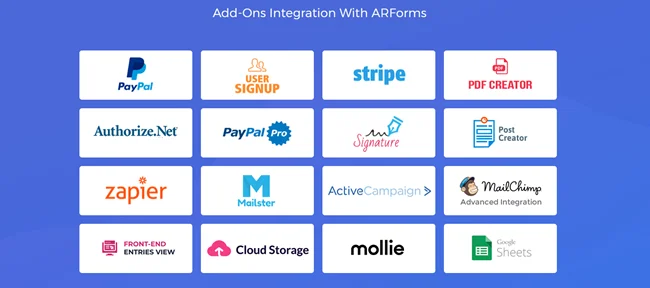
A web form builder works the best when integrated with the tools you already use.
The best part? The best web form builders such as ARForms integrate with more than 24+ popular third party tools and services to take your business to the next level.
You can connect your web forms with CRM such as Keap, Zoho, and HubSpot to automate lead capturing. Moreover, they help you manage your campaigns and contacts effortlessly straight to your database.
Further, ARForms smoothly connects with dozens of popular payment gateways like PayPal, Stripe, PayFast, Authorize.net and many more to ensure a secured payment.
If you are planning to make online forms such as payment form, donation form and order forms, these payment gateways allow you to make a secured transaction.
Capture Powerful Testimonials From Happy Customers

A best web form builder allows you to create a user review form that captures your customers and visitors happy experiences.
A user review acts as a social proof, a signal of trust.
The best part? ARForms allows you to create user review forms to take your customers testimonials. Plus, it doesn’t stop there. This tool allows you automatically generate WordPress posts using these user review data to showcase your happy customer testimonials.
This way, you can actively collect powerful social proof to build trust with your new potential customers and boost your chances of conversions.
Final Though: Grow Your Business With The Best Web Form Builder
Growing your business needs data driven decision, good lead magnet, more conversions and a potential email list. Now all that is possible with the best web form builder – ARForms.No matter whether it’s creating online forms, popup forms, capturing leads, spam protection or integrations, ARForms is an all-in-one WordPress form builder plugin.
With ARForms, you can grow your business with zero hassle. It allows you to :
- Capture high quality leads by creating a lead generation form
- Boost conversions by optimizing your forms speed and performance
- Make fully responsive online web forms
- Automate workflow and save time by sending instant notifications automatically
- Improve data collection with ARForms powerful data analysis dashboard
- Enhance your visitors experience by making smart interactive forms
- Create beautiful online forms with exclusive styling options and 33+ advanced form fields
- Work seamlessly with powerful third party tools and services like payment gateways, email marketing tools and CRMs
Ultimately, ARForms takes your online business to the next level and skyrockets your sales.
So what are you waiting for? Get ARForms right now and see your business grow with the best web form builder.
Recommended Articles:
- Easy Ways to Create a WordPress Payment Form with Calculation
- 9 Impressive Things ARForms WordPress Form Builder Plugin Bestows
- 8 Reasons You Should Use a Contact Form on Your Site
FAQs
What Is A Web Form?
A web form is an online form that is embedded on a website. It allows users or visitors to enter their info and submit the data without leaving your website. A web form is mostly used for lead generations, registrations, and feedback. surveys and contact us forms.How Do I Create A Webform?
You can create a webform in WordPress with the help of ARForms. It is a simple drag and drop form builder that allows you to create unlimited web forms with exclusive styling options. And if you don’t wanna build your web form from scratch, you can also kickstart your web form using its well designed and customizable 50+ sample forms and templates.What Is The Best Online Form Builder?
ARForms is the best online form builder for WordPress. It allows you to create all kinds of web forms with a simple drag and drop live form builder. With exclusive styling options and 33+ advanced form fields, you can create beautiful online forms.Is There A Free Form Creator?
Yes, ARForms Lite is a free version of ARForms that allows you to create forms with zero coding. ARForms Lite is the best free form creator with a super simple drag and drop live form builder and advanced spam protection.How Can A Web Form Builder Help Grow My Business?
A web form builder helps grow a business by capturing high leads, automating workflow, accurate data collection and enhancing your user experience with smart interactive forms.