SuperbThemes Review: Themes, Plugins & Superb Addons


SuperbThemes brings together WordPress designs, focused plugins and Gutenberg tools for content sites, businesses, and stores. Its themes establish a site’s design, individual plugins add specific functions, and Superb Addons extends Gutenberg editing. A site can start with a suitable design, then add the capabilities it needs, such as richer page layouts, recent-post displays, and responsive tables.
Founded in 2018, SuperbThemes has expanded from WordPress themes into website-building tools, including Superb Addons. This SuperbThemes review looks at how those products support everyday WordPress projects: publishing articles, presenting a service business, selling products, and building pages in the WordPress editor. The assessment rests on the design choices and documented functionality of each part of the collection.
Superbthemes Designs For Blogs And Businesses
Choosing from the SuperbThemes WordPress themes collection starts with the site’s purpose. The theme catalog supports searches by name, purpose, and style, with Block and Classic filters and a control for displaying child themes. Publishers can browse SuperbThemes block themes or narrow the selection to a particular business or editorial focus.
Several included designs provide starting points:
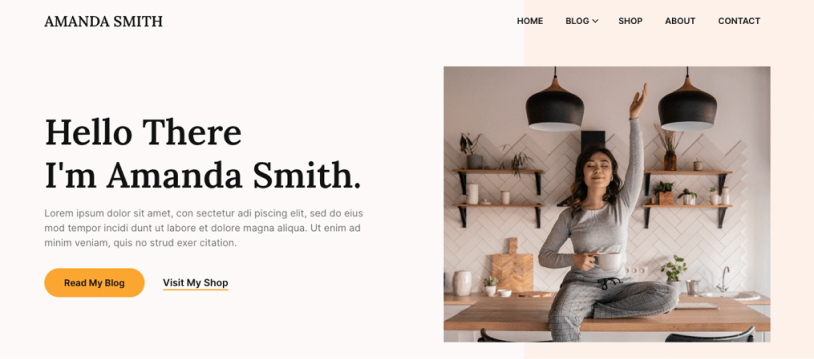
- Minimalistix includes The Minimal Blogger, an option for publications centered on blog posts. Its publishing focus helps site owners consider how to present their articles.
- Sonoran includes Writers Haven, another publishing-oriented choice. A design aimed at writers helps guide decisions about the balance between author information and published work.
- Luxe Hair Salon includes Avira Health Clinic. For a clinic website, that subject matter helps guide the choice of service descriptions and imagery appropriate to a healthcare setting.
- TradeCraft includes Auto Repair Garage, giving an automotive service website a design suited to its business. Repair information and photographs of the business are sensible content to consider alongside it.
- Bakery And Pastry includes The Coffee Shop. Its focus provides a basis for planning content about the shop and choosing photographs of its products and premises.
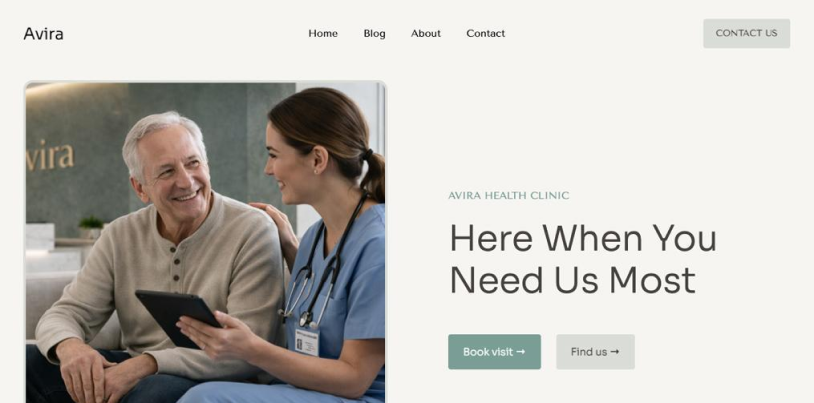
A design aimed at a similar publication or business gives content planning a clearer direction, though the final wording and photographs still need to reflect the individual organization.
Superb Pixels takes a more restrained approach. It’s a responsive, minimalist theme for blogs, newspapers, and content creators, with an emphasis on writing and photography. That focus suits publications where articles and images deserve attention and the design’s main job is to support their presentation.
Woocommerce Themes For Product-Focused Stores
For sellers considering SuperbThemes WooCommerce themes, the store’s chosen commerce plugin is a practical place to start. Afterall, product presentation matters too when a catalog needs space for explanations that help shoppers understand what’s on offer.
Best of all, WordPress.org lists Superb eCommerce with WooCommerce and Easy Digital Downloads integration, making it relevant to stores using either plugin. Its built-in blog provides room for product guides and related articles alongside the catalog. That combination suits sellers whose products need more explanation than an individual listing comfortably allows.
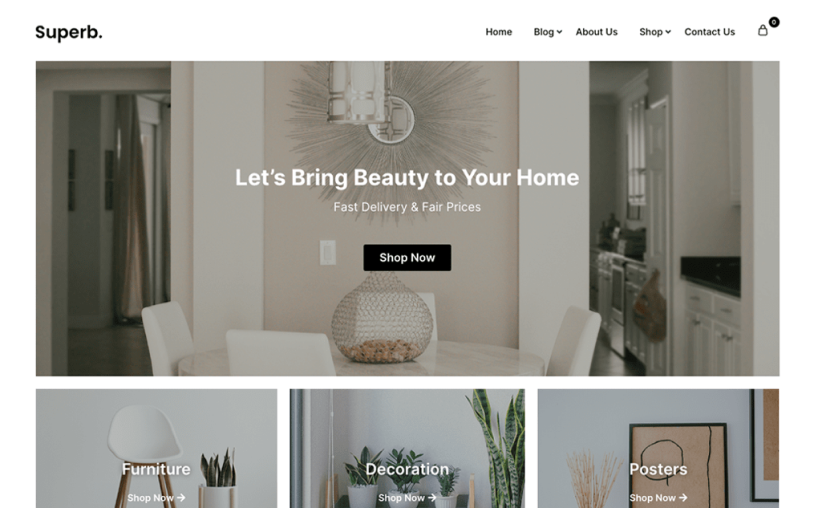
Ruby eCommerce includes Beauty eCommerce X, a retail-oriented example for stores considering their visual direction. The commerce integrations described above belong specifically to Superb eCommerce.
The selection process should follow the store’s requirements:
- The store owner first identifies the commerce plugin the shop will use and considers themes with documented support for it.
- The owner then considers how products should appear, assessing the visual presentation against the catalog’s subject and imagery.
- The owner assesses supporting editorial content, including whether product guides and related articles will be a regular part of the store and how a built-in blog could support that work.
Superbthemes Plugins For Everyday Website Tasks
SuperbThemes plugins handle distinct WordPress tasks, from monitoring visibility to presenting information.
- Superb AI Rank Tracker monitors website mentions and competitive positioning in ChatGPT, Claude, Gemini and Perplexity. It suits businesses tracking how their website appears across those services and how its presence compares with competitors.
- Superb Lead Finder finds niche creators, blogs, and prospective partners and collects contact, then identifies relevant contacts for potential collaborations or outreach.
- Reveal Buttons creates buttons that reveal coupons or bonuses. Visitors interested in an offer use the button to access it on a promotional page.
- Social Share & Follow Buttons adds sharing and follow controls with support for more than 25 social networks. Visitors use these controls to share content or follow a site’s social accounts.
- Recent Posts with Thumbnails supplies a responsive recent-post widget containing images. Publications with an active posting schedule get a visual way to display their latest articles and give visitors further reading options.
- Superb Tables creates customizable responsive tables inserted through shortcodes.
The catalog also includes Superb Addons, covered separately in this review.
Building Gutenberg Pages With Superb Addons
Reusable page elements are a central part of Superb Addons’ appeal. Its WordPress.org listing describes Gutenberg blocks, patterns, prebuilt pages, animations, responsive controls, forms, and Theme Designer. Blocks supply individual page elements, while patterns and prebuilt pages provide arrangements to build a fuller layout within familiar WordPress editing.
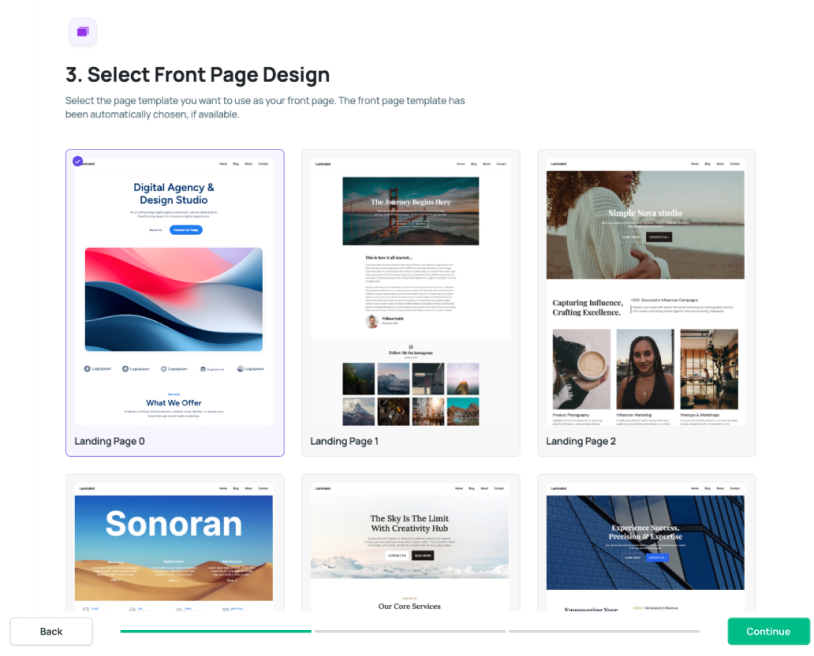
On an existing site, Superb Addons Theme Designer offers additional page designs. The Premium product page lists 100+ layouts and describes compatibility with all themes. This makes Premium relevant to site owners who want more layout choices while keeping their current theme.
The homepage lists Superb Addons Gutenberg blocks for several publishing and business uses:
- Author boxes and automatically generated tables of contents suit editorial pages, providing space for author information and a navigable structure for longer articles.
- Maps fit business info pages where visitors need location details.
- Progress bars and ratings give visual elements for content that shows progress.
- Shopping buttons and countdowns suit sales pages and promotion, tied to a particular time.
- Recent posts and cover images offer ways to present articles.
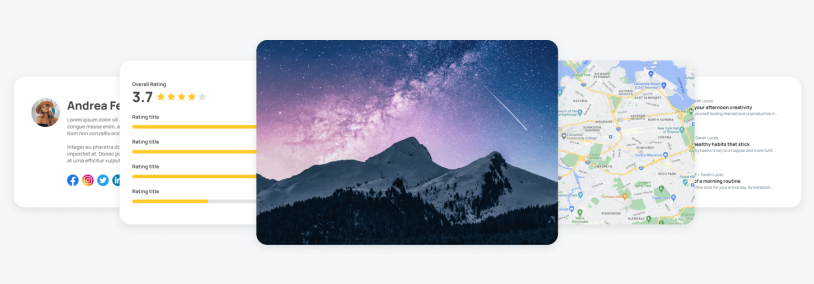
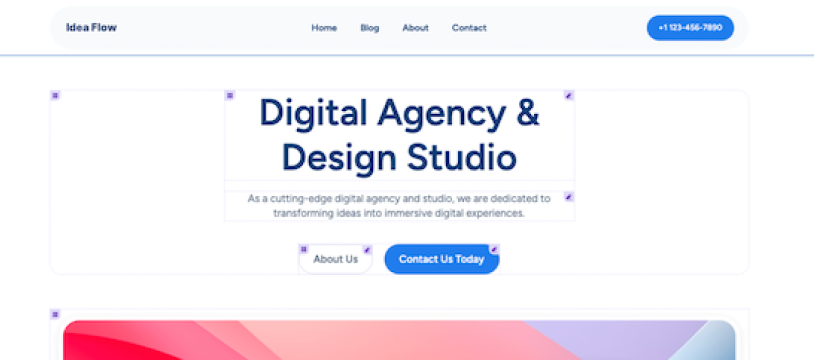
On top of that, editing controls fine-tune those arrangements, device-specific spacing and typography adjust presentation across screen sizes and visual block highlighting identifies the element being edited. Visual stacking order controls how overlapping elements sit in relation to each other. Text alignment and sticky blocks offer further ways to position content and keep selected elements in view during scrolling.
Premium Features For Interactive Pages
Interactive elements and conditional displays give Superb Addons Premium users more ways to tailor WordPress pages.
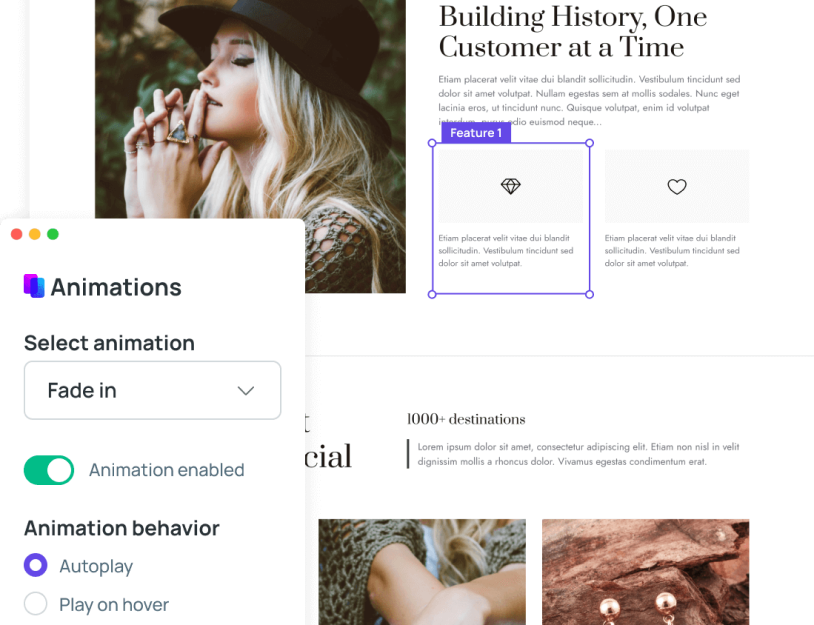
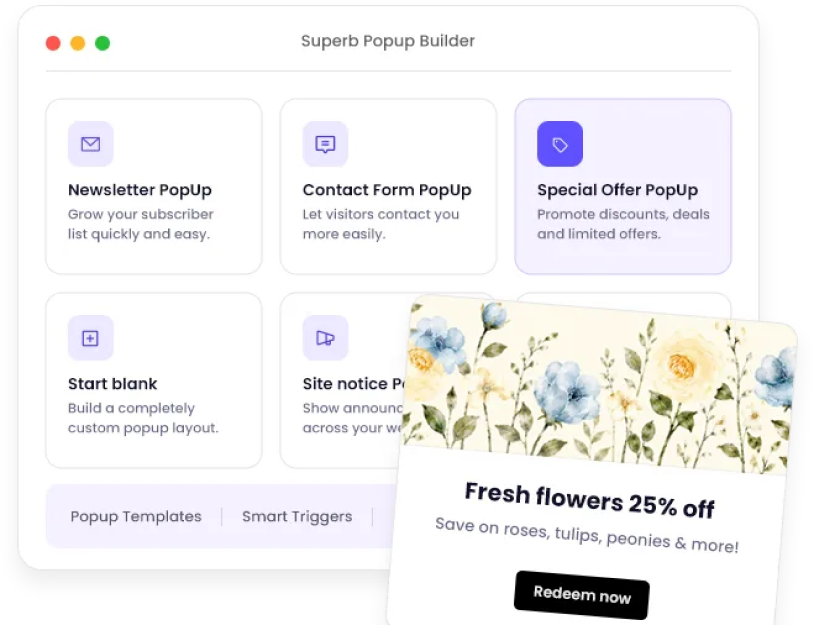
- Premium includes 70+ animation effects and Gutenberg-built popups triggered by scrolling, exit intent, delay, clicks, or page loading. The documented newsletter popup example shows a use for choosing when an invitation to subscribe appears.
- Sliders accept WordPress blocks and support transitions, autoplay, arrows, and dots. The product page’s testimonial-slider example shows how visitors can browse customer quotations within a page.
- Visibility rules can depend on login status, role, country, cart value, and purchase history. The rules are evaluated on the server while blocks remain visible in the editor, so the person building the page can still edit content that appears conditionally to visitors.
- Dynamic content from custom fields/ACF supports builds that use structured content. And CSS syntax highlights and minification provide tools for custom styling.
Forms For Inquiries And Connected Workflows
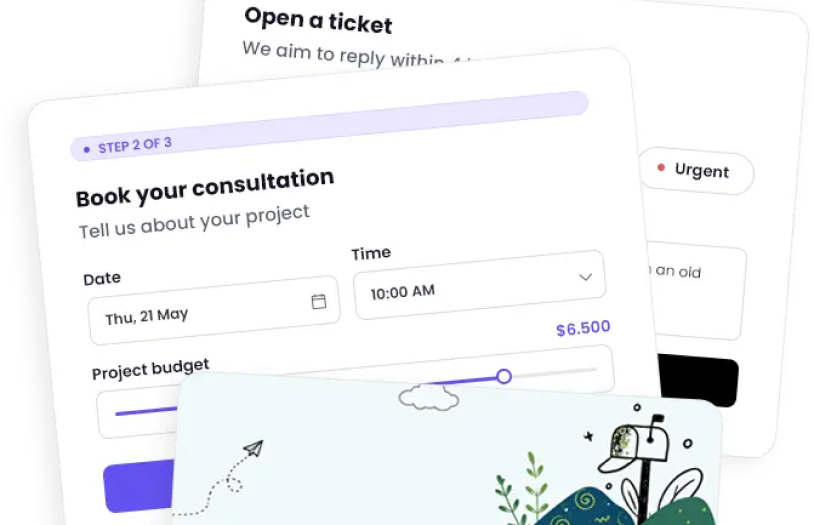
Free Forms appears in the WordPress.org listing, while Superb Addons Premium offers eight starter templates, 16 field types, and multiple steps. And those Premium options make Superb Addons forms more flexible for collecting information by splitting a longer inquiry into separate stages.
Premium’s customized email replies support follow-up messages, and role-based access determines who has access to form functionality or information. Besides, booking forms are among the documented examples, providing a starting point for businesses collecting details about requested appointments.
The listed Premium integrations connect form submissions with several destinations:
- Mailchimp and Brevo support connections to email marketing tools
- Sheets provides a spreadsheet destination for submission information
- Slack supports team notifications related to submissions
- Webhooks allow connections to other systems
Spam controls in Premium include Turnstile, reCAPTCHA, hCaptcha, and honeypots. Automatic submission and email deletion after a chosen retention period gives site owners a way to manage how long form records remain stored.
Choosing Free Or Premium Tools And Getting Started
Using SuperbThemes free and premium options, your sites can have free entry points and paid features for more specific needs. As for buyers who compare yearly and lifetime choices, they should check the current offer’s terms for product coverage, updates and support. Because those details are what establish which purchase suits the site and which benefits each offer includes.
Apart from that, the official documentation confirms that SuperbThemes products function without Superb Addons, though it recommends the plugin for additional premium features and automatic updates. Premium installation documentation directs customers to the SuperbThemes License Key Page and SuperbThemes Premium guide.
The homepage describes one-click design imports and color/font customization, so site owners have a starting design to adjust for their publication or business. The homepage and theme catalog also state support seven days a week and a 14-day refund guarantee.
Feature availability differs between free and premium offerings. Desktop/tablet/mobile block visibility is explicitly premium. The chosen product should match the site’s required features and existing WordPress setup, keeping the purchase focused on functionality the site will use.
Why Superbthemes Deserves a Place On The Shortlist
Publishers seeking a design that emphasizes writing and photography have good reasons to consider SuperbThemes. Pairing that editorial focus with tools for presenting and organizing content makes the collection useful for publication sites. Service businesses and stores also get relevant visual starting points, with optional functionality selected for the work each site needs to do.
For ARForms readers, SuperbThemes merits attention as a theme and broader site-building option. ARForms remains a separate WordPress form builder and is not a SuperbThemes product. Owners already using a form builder can assess the design tools on their own merits. That decision doesn’t require replacing their forms.
The favorable verdict rests on SuperbThemes’ documented design variety and editing capabilities. Thus, WordPress site owners have scope to choose a suitable design and add useful tools as their requirements become clear.
You may also like