7 Best WordPress Image Optimization Plugins for Faster Sites


Thinking fast websites don’t matter? Think again.
Heavy images are often the culprit behind slow pages, lost visitors, and poor SEO. Well, there is no doubt large high quality images look stunning. But they can also drag your WordPress site to a crawl.
The good news? WordPress image optimization plugins fix that automatically. They shrink files, boost speed and make sure your visuals don’t slow you down. Plus, they make your images look stunning as always.
In this guide, we’ve tested the top plugins in 2026 so you can:
- Optimize images without touching code
- Boost site speed and SEO
- Make smarter decisions on plugin choice for your site’s needs
Whether you’re running a blog site, online eCommerce store or membership site, these plugins make image optimization effortless for all.
Quick Comparison: Best WordPress Image Optimization Plugins
In a hurry? No worries! Here are the top 6 WordPress image compression optimization plugins compared in 2026.
| Rank | Plugin | Best For | Compression Type | WebP / AVIF | CDN Included | Free Plan | Starting Price |
| 🥇 | ShortPixel | Best overall image optimization | Lossy, Lossless, Glossy | ✅ Yes | ❌ No | ✅ Limited credits | $9.99/month |
| 🥈 | ThumbPress | Complete image optimization & management | Lossy & Lossless | ✅ Yes | ✅ Yes | ✅ Unlimited images | $59/year |
| 🥉 | AI Product Image Generator for WooCommerce | Best for AI-powered product images | AI image enhancement | ✅ Yes | ❌ No | ❌ No | $59.99/year |
| 4 | Optimole | Image optimization with CDN | Real-time smart compression | ✅ Yes | ✅ Yes | ✅ Limited visits | $27.02/month |
| 5 | ELEX WordPress Image Optimizer and Cleanup | Image compression and cleanup | API-based compression | ❌ No | ❌ No | ✅ Free | Free |
| 6 | EWWW Image Optimizer | Server-based optimization | Lossless & Lossy | ✅ Yes | ❌ No | ✅ Unlimited local | $8/month |
| 7 | Imagify | Performance + simplicity | Lossless, Lossy, Ultra | ✅ Yes | ❌ No | ✅ Limited quota | $5.99/month |
| 8 | Smush | Best free image compression | Lossless & Lossy | ✅ Yes | ❌ No | ✅ Unlimited images | $30/year |
Let’s Start Simple: What Is a WordPress Image Optimization Plugin?
WordPress image optimization plugin is an automated tool for WordPress that automatically compresses, resizes and optimizes all the images on your site. The goal of using one of these is simple: lower the file size of images without affecting the quality of images.
These image optimization plugins for WordPress manages tasks such as:
- Compression: Shrinks images to load faster.
- Resizing: Adjusts large images to proper dimensions.
- Format conversion: Changes images to modern formats like WebP for increasing performance.
- Lazy loading: Loads images only when they appear on the screen to save bandwidth.
In simple words, these WordPress image optimization plugins help you to keep your all images lighting fast and ready for your visitors with no manual setup or hassle.
Why Is Image Optimization Important for WordPress Sites?
Images are exactly what makes your site look eye-catching and stunning. But on the other hand, the same high-quality images can also slow down your site’s loading time, costing you visitors, conversions, and SEO rankings.
That’s why image optimization matters more than you think!
By optimizing images on your WordPress site, you can achieve:
- Faster page speed: Optimized images load faster while maintaining good quality, ensuring a smooth experience for your visitors.
- Better SEO: Google favors fast-loading websites, which can positively impact your search engine rankings.
- Improved user experience: Visitors don’t want to wait for images to load, especially on mobile devices. Optimized images help keep them engaged.
- Reduced storage and bandwidth usage: Optimized images take up less space, helping you save hosting resources.
Today, optimizing images isn’t just a technical tweak — it’s a strategic move to improve performance, attract more visitors, and increase conversions.
For WooCommerce store owners, image optimization becomes even more important as product images directly influence customers’ buying decisions. Tools like AI Product Image Generator for WooCommerce can help enhance existing product images by creating professional-looking visuals while keeping your products attractive and optimized for your online store.
How We Tested & Ranked Image Optimization Plugins for WordPress
At ARForms, we optimize images all the time. Whether it’s for our blogs or website, we’ve made sure to include tons of engaging images in all of them. Afterall, no one wants a blog to feel like reading a textbook of history.
As you can see, all the images in our blog and our website load within a blink of an eye…And that’s because we prioritize image optimization.
Not all WordPress image optimization plugins are the same. Some claim to be best and promise speed but in reality actually slow your site, while others compress images at the cost of quality.
Thus, to give you a fair, practical ranking for 2026, we tested each plugin using real world scenarios and key performance metrics.
Here’s what we looked at:
Compression Efficiency (Before vs. After Image Size)
The main job of an image optimization plugin is to reduce file sizes of your images without lowering its quality. Thus, we measured how much each plugin could shrink images while keeping them visually sharp because no one wants blurry product photos or blog images.
Next-Gen Format Support (WebP, AVIF)
Modern image formats like WebP and AVIF load faster than ever. Thus, we make sure to check whether each plugin could automatically convert images to these formats or not. It makes a huge difference in page speed and SEO.
Auto Optimization & Bulk Optimization
Efficiency matters all the time. We tested plugins on their ability to automatically optimize images on upload and handle bulk optimization for large media libraries. And the image compression plugins who needed manual intervention for each and every image simply lost points and ranked lower.
Pricing & Free Limits
Well, you can get everything for free, right?
Some image optimization plugins work beautifully but costs while some are free but limit the number of images you can compress per month. That’s why, we compared cost, value and feature to help you pick the right plugin as per your budget.
Server & Theme Compatibility
A plugin is only useful if it works smoothly with your WordPress setup which includes everything from the current theme your user and other plugins integrated. Thus, we make sure to pick the only WordPress image optimization plugins which smoothly works with your hosting environment, page builders and themes.
Performance Impact (LCP & CLS Metrics)
Image optimization is for making your WordPress site faster, not slower. That’s our main goal after all. Thus, we monitored Core Web Vitals, especially Largest Contentful Paint (LCP) and Cumulative Layout Shift (CLS), to see how each plugin impacted real world site performance.
7 Best WordPress Image Optimization Plugins in 2026 (Reviewed)
1. ShortPixel: Best Overall Image Optimization Plugin

ShortPixel is the best WordPress image optimization plugin around here. It automatically compresses images on upload, converts them to next-gen formats like WebP and keeps your visuals crisp.
With advanced compression levels such as lossy, lossless and glossy compression, it’s the great choice plugin for blogs, eCommerce stores and large media libraries who want to boost site performance without losing quality.
What makes it stand out the most:
- Offers 3 compression levels for getting high quality images
- Supports Next-gen formats like WebP and AVIF
- AI-powered features such as image upscale, background removal, image title and Bulk remove AI data
- AI-powered SEO options
- On-the-Fly scaling and smart cropping
- Bulk optimization for existing media library
- Super fast cloud based performance
Limitations: It looks like many users get confused with this plugin due to it’s credit consumption system. Many think 100 credits = 100 original images and that’s where they’re wrong. It’s always like 6-10 credits for each thumbnail and even more for format conversion.
Pricing:
- Free version is available
- The paid plans offer unlimited and one time credit plans on yearly and month basis starting from $9.99/Month for unlimited plan and $19.99 for one time 30,000 credits.
2. ThumbPress: Best for Complete WordPress Image Optimization
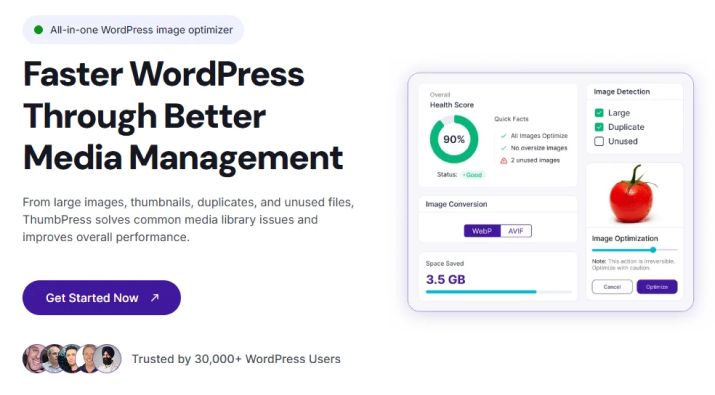
ThumbPress is an all-in-one WordPress image optimization plugin that helps you compress, manage, and optimize your website images from one place. It not only reduces image file sizes but also helps you find and remove unused, duplicate, and oversized images that waste storage space.
With features like WebP and AVIF conversion, image compression, thumbnail management, lazy loading, and CDN delivery, ThumbPress is a great choice for blogs, eCommerce stores, agencies, and WordPress websites with large media libraries.
What makes it stand out the most:
- Compresses images without compromising visual quality
- Converts images to next-gen formats like WebP and AVIF
- Detects and helps clean up unused images
- Finds duplicate images taking up unnecessary storage
- Identifies oversized images that may affect website performance
- Helps manage unnecessary WordPress thumbnails
- Offers bulk image optimization and management
- Includes lazy loading for better page performance
- Provides CDN image delivery for faster loading
- Includes image watermarking and editing features
Limitations: Some advanced features, including image compression, image cleanup, and CDN functionality, are available only in the Pro version. Users who only need basic image compression may find its broader set of image management features more than they need.
Pricing:
- Free version is available
- The Pro plan starts at $59/year for 1 website
- Lifetime plan starts at $119.99 for 1 website
3. AI Product Image Generator for WooCommerce: Best for AI-Powered Product Images
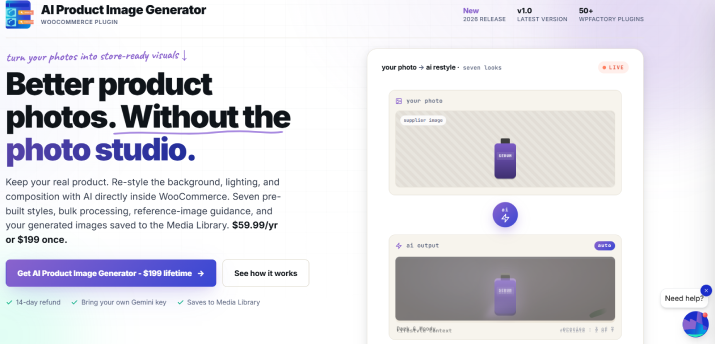
AI Product Image Generator for WooCommerce helps you create professional-looking product images using AI, directly from your WooCommerce dashboard. It enhances your existing product photos with improved backgrounds, lighting, and consistent visual styles, without expensive photoshoots or manual editing.
It’s a great choice for eCommerce stores that want to improve product presentation, maintain a consistent brand aesthetic, and update large product catalogs more efficiently.
What makes it stand out the most:
- Enhances existing product photos instead of generating images from scratch
- Offers ready-made AI styles for studio, lifestyle, marketplace, and other visual aesthetics
- Lets you create custom AI styles to match your brand
- Supports bulk image generation for multiple products
- Automatically saves generated images to your WordPress media library
- Can automatically set generated images as featured product images or gallery images
- Works directly inside WooCommerce, without switching between external design tools
- Lets you use managed AI credits or connect your own Google Gemini API key
Limitations: This plugin is designed to enhance and generate product visuals, not compress images or convert them to WebP or AVIF. It also requires existing product images and an AI connection to generate results. AI usage may involve additional costs, depending on the connection method you choose.
Pricing:
- Paid plugin with different licensing options
- Choose between managed AI credits purchased through WPFactory or your own Google Gemini API key
- Check the official pricing page for current license prices and available options.
4. Optimole: Best Plugin with Built-in CDN
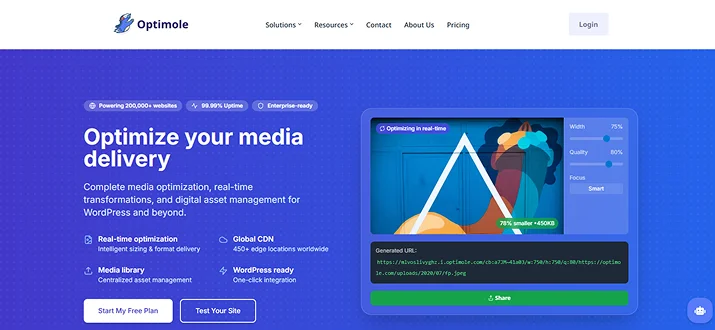
Optimole is a full-power WordPress image optimization plugin that stands out by combining smart compression with a fast cloud powered image CDN.
Instead of just squishing images in your media library, Optimole serves optimized images from its global network which in the end gives a much faster load time for visitors no matter where they are. So, this makes it especially awesome for businesses and sites with international traffic.
What makes it stand out the most:
- All images are hosted on Optimole’s cloud and sent via Global CDN
- Real time optimization
- Automatically detects visitor’s browser and serves the best format including WebP and AVIF
- Zero impact on your storage
- Smart lazy loading
- Automatic Watermarking
- Easy to setup and use
Limitations: It looks like it comes with a visitor based pricing model. Although it has both monthly and yearly plans, if your site traffic goes high, you may exceed your limits even without uploading new images. So, it becomes more expensive for large enterprise and eCommerce sites.
Pricing:
- Free version is available
- The paid plan starts from $27.02/Month and $270.24/Year for 48,000 visits
5. ELEX WordPress Image Optimizer and Cleanup (Free)
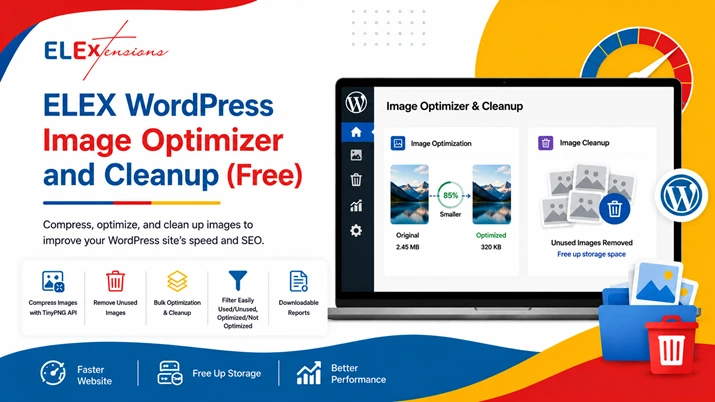
If you’re looking for a free image optimization plugin that does more than just compress images, ELEX WordPress Image Optimizer and Cleanup is worth considering.
Unlike many image optimization plugins that focus only on compression, ELEX helps you identify and remove unused images from your WordPress media library. This keeps your website lightweight, improves storage efficiency, and helps maintain better site performance over time.
The plugin uses the TinyPNG API to compress images without noticeable quality loss and supports bulk optimization and bulk cleanup, making it ideal for blogs, WooCommerce stores, and content-heavy websites.
What makes it stand out:
- Compresses images using the TinyPNG API
- Removes unused images from the media library
- Bulk image optimization
- Bulk image cleanup
- Filter optimized, unoptimized, used, and unused images
- Downloadable reports after bulk operations
- Beginner-friendly interface
- Completely free
Limitations: Since image compression is handled through the TinyPNG API, a TinyPNG API key is required to use the optimization features.
Pricing:
- ELEX WordPress Image Optimizer and Cleanup Plugin: Free
6. EWWW Image Optimizer : Best Server Based Optimization
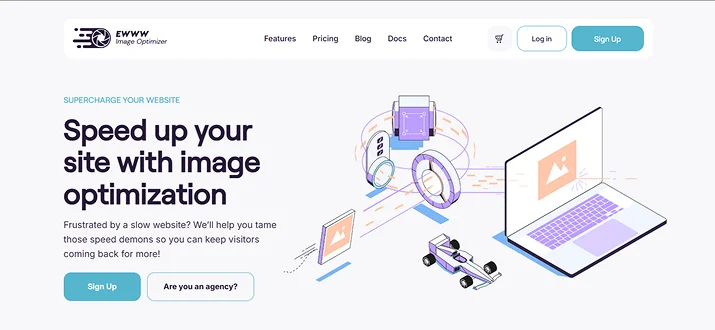
EWWW Image Optimizer is another one of the most powerful WordPress image optimization plugins that excels at performing compression right on your own server. This means you don’t have to rely on external APIs for image processing.
Thus, it is perfect for users who prefer keeping everything within their hosting environment. This image optimization plugin supports multiple compression types and integrates smoothly with most WordPress themes and plugins easily.
What makes it stand out the most:
- No file size limits
- Processes all images on local server, no cloud
- Pixel perfect lossless compressions
- Optimizes images outside the WordPress media library such as theme folder, BuddyPress avatars and more.
- Automatically converts images to WebP and AVIF
- Lazy loading and Auto scaling
Limitations: Well, since it is not cloud based, processing every image on your own server can lead to higher server load.
Pricing:
- Free version is available
- The paid plan starts from $8/month and $80/year
7. Imagify: Best Performance + Simplicity
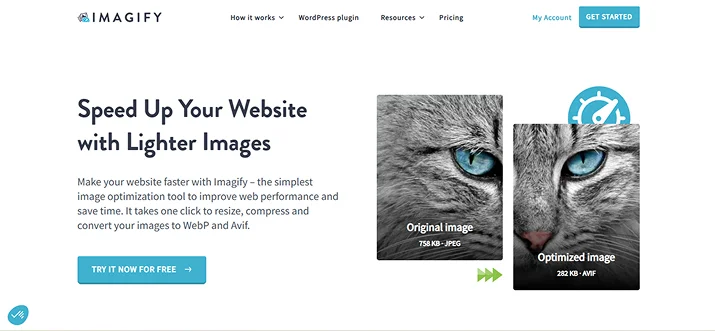
Imagify is a lightweight yet powerful WordPress image optimization plugin created by the team behind WP Rocket. It focuses on delivering strong performance improvements while keeping the setup and user experience simple.
With automatic image compression, next-gen format support, and an intuitive dashboard, Imagify is a great fit for users who want speed without complexity.
What makes it stand out the most:
- One click optimization for every image you upload
- Smart compression levels such as – Lossless, lossy and Ultra
- Automatically creates WebP and AVIF versions of your images
- Automatic resizing
- No load on your server as it got its own
- Easy to use
Limitations: The free plan has a monthly usage limit and advanced optimization options are locked behind paid plans.
Pricing:
- Free version is available
- The paid plan starts from $5.99/Month and $59.88/Year
8. Smush: Best Free WordPress Image Compression Plugin
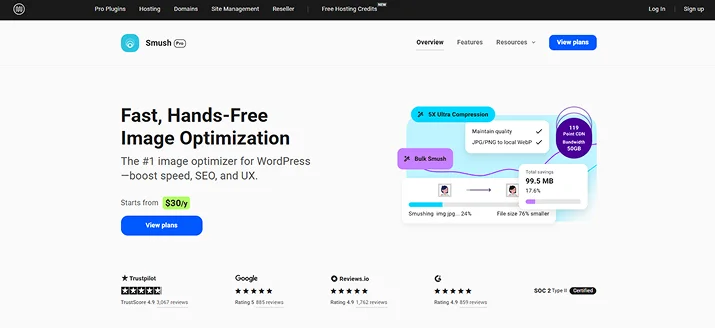
Smush is one of the most popular WordPress image compression plugins, especially for users looking for a solid free WordPress image optimization plugin.
Unlike ShortPixel, its free version has no monthly limits. Thus, you can optimize your endless images as many times as you want. This plugin uses lossless and lossy image compression which reduces the file sizes and makes sure the quality stays intact. Plus, you can also take it one more step ahead by using the Ultra smush feature with 5x image compressing.
What makes it stand out the most:
- Built-in lazy loading to delay images and videos
- Bulk smushing lets you optimize all existing images in your media library
- Automatic resizing
- Easily converts your images into modern formats like WebP and AVIF
- Preload critical images
- Unlimited bulk and auto smushing
- Background optimization to run it even after closing
Limitations: While there is no total image limit, in the free version you have to manually click “Resume” after every 50 images during the bulk process. Advanced features such as unlimited bulk optimization and CDN access require a paid plan.
Pricing:
- Free version is available
- The paid plans starts from $30/Year
Decision Time: Which Plugin Should You Choose?
In a nutshell, A fast website is no longer optional; it’s a must for:
- Better SEO ranking
- Higher conversions
- Enhanced user experience
And it is a known fact that heavy images can drag your WordPress site down. That’s why WordPress image optimization plugins are a must-have.
Think of your website like a race car: images are the fuel but too many or too large, and your site slows to a crawl. Thus, by having the best WordPress image optimization plugin, you don’t have to worry about anything.
All the plugins we’ve listed automatically shrink images, maintain quality and improve page speed, boosting both SEO and user experience at once.
Wondering which one of the best WordPress image optimization plugins should you choose? Take it easy.
Here’s a decision table to make sure you pick the best fit plugin for your WordPress site:
| Your Requirement | Recommended Plugin | Why It Works Best |
| Best all around image optimization. | ShortPixel | Powerful compression, AI features, next gen formats for lighting fast performance. |
| Best free image optimization plugin. | Smush | Reliable lossless compression with a generous free plan. |
| Easiest plugin to use. | Imagify | Simple setup, clean UI and strong performance out of the box. |
| Best plugin with built in CDN. | Optimole | Global CDN with real time image optimization for every device. |
| Best server only optimization. | EWWW Image Optimizer | On server compression with no external API dependency. |
Stop letting oversized images drag your site down. Pick the right plugin and boost performance today.
You may also like:
- 7+ Effective Portfolio and Gallery Plugins for WordPress in 2026
- Ultimate Guide to Fixing WordPress Emails Not Sending
- 5 Best Anti-Spam Plugins for WordPress in 2026
FAQs
What is the best image optimizer for WordPress?
Here are the best image optimiser for WordPress sites:
- ShortPixel
- Smush
- Imagify
- Optimole
- EWWW Image optimizer
Is the ewww image optimizer free?
Yes, ewww image optimizer is free to use for WordPress. You can get the free version from the WordPress plugin directory with all the basic image compression and optimization features.
How to optimize images for a WordPress website?
For optimizing images in a WordPress website, you first have to choose and install a WordPress image optimization plugin such as ShortPixel or Imagify. After that, make sure you always go for the right image formats such as WebP or AVIF for better performance. You can also resize and compress the images, without losing quality then upload.
What plugin optimize image size in WordPress?
Here are the best plugins for optimizing image size in WordPress:
- Imagify
- ShortPixel
- Smush
- Optimole
- EWWW image optimizer.
In short, all the plugins we’ve listed can optimize image size with ease.
Is Smush free?
Yes, Of Course! Smush comes with a powerful free version that allows you to compress and optimize your images with no hassle. However for advanced features like faster CDN, WebP conversions and more, you should opt for paid versions.
Does WordPress automatically optimize images?
While WordPress does not fully optimize images itself, it comes with basic auto resizing, light compression and lazy loading. For more advanced optimization, you can install WordPress image optimization plugins like Smush, Imagify and ShorPixel.