
6 Best Amelia Alternatives for WordPress in 2026 (Compared)


The search for Amelia alternatives mostly starts when the plugin no longer fits your business needs.
You may be paying more than expected to access even the basic booking features, struggling with a starter plan that lacks online payments or finding the interface harder to manage than expected. Limited staff access and third party integrations only adds to the frustration.
All these key signs show its time to switch and get a booking plugin that delivers essential appointment booking features right out of the box, with zero hassle.
Choosing the right WordPress booking plugin is a critical decision that impacts your client experience and revenue. To help you decide, we’ve put the top Amelia alternatives for WordPress to the test.
This guide lays everything out. Read on to find the top alternatives to Amelia WordPress booking plugin.
Quick Look: Best Amelia Alternatives For WordPress At a Glance
No time to scroll till the end? Here are the best Amelia plugin alternatives compared side-by-side.
| Plugin | Best For | Key Advantage Over Amelia | Starting Price |
| BookingPress | All-in-one appointment booking | 60+ premium add-ons, 21+ payment gateways, easy migration | Free / $89 per year |
| LatePoint | Modern appointment scheduling | Minimalist interface and premium features without tier gating | Free / $99 per year |
| MotoPress Appointment Booking | Small service businesses | Simpler setup and affordable appointment scheduling | Free / $49 per year (Needs Pro bundle for core features – $99/year) |
| The Events Calendar | Event organizers | Advanced event publishing, calendar management and ticketing extensions | Free / $199/year (Pro) |
| FluentBooking | Consultants, coaches and remote teams | Unlimited hosts, calendar synchronization and video meetings | Free / $79/year |
| SimplyBook.me | Businesses needing cloud-based booking | Dedicated booking platform, mobile apps and 50+ custom features | Free / €11.90/month |
Why Look For Alternatives to Amelia WordPress Plugin?
Amelia WordPress plugin is a famous and feature-rich booking plugin in the WordPress ecosystem, yet it isn’t a perfect fit for every business. Some of the common reasons I’ve seen people look for alternatives to this is because of its:
- Steep learning curve
- Occasional performance slowdowns
- Rigid customization options
- Costly for multi-site owners
- Synchronization delays or issues (Sometimes only – according to some users)
- Slow technical customer support
The backend dashboard has a lot of settings. Thus, I would definitely not recommend it to a total beginner who just wants a simple “Click-and-book” setup. Although there is a free version, many core booking features like SMS reminders, WhatsApp integration, or specific payment gateway, needs you to upgrade to the premium tiers which can get pretty expensive (Or simply not worth it).
On top of that, it only has 3.7/5 Stars on Trustpilot. Many recent buyers have the same complaint – Amelia sure looks beautiful, but every major update changes everything which breaks the user experience terribly. And mind you, user experience is not something to be taken lightly when it comes to real service-businesses making real money.
It’s worth pointing out that these are actually recent reviews, all from September 2026.
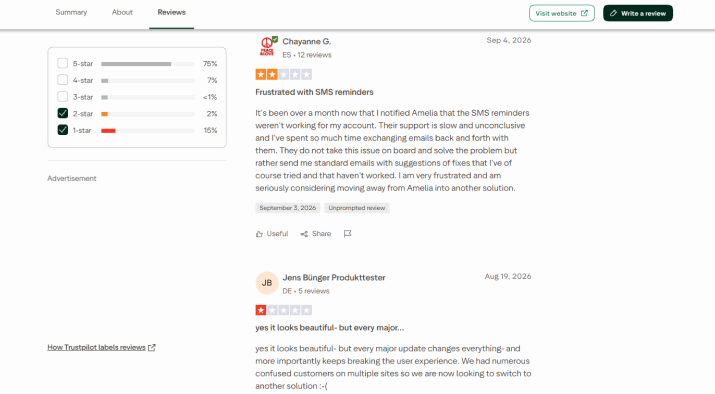
This is one of the main reasons many appointment-based business owners now have started to look for Amelia alternatives and decided to switch.
If you are looking for something lighter, money worthy or easier to use, switching to a different appointment booking plugin makes sense.
How We Tested and Ranked These WordPress Booking Plugins
First off, this is not a generic “best WordPress booking plugins” list. Today, we’re here to find the right-fit for business already stuck with the Amelia plugin. Assuming you already have been using Amelia for quite a time, we tried to look for a booking plugin that made it easy to switch.
At ARForms, our team of experts tested most of all popular WordPress booking plugins, compared them to Amelia, and handpicked these 6 plugins.
However, to give you a quick idea, here’s how we tested:
- Real World Setup: Our team of testers installed each leading booking plugin on a fresh WordPress environment (like a mock studio or clinic) to test the actual checkout and booking flow from a client’s point of view.
- Team and Multi-location Support: We even checked if the plugin can easily handle one solo freelancer or a busy business with over 50 staff members, different locations and complex working hours.
- Features and Add-Ons: Our reviewers tested what comes built-in verses what need buying extra paid addons for basic features like SMS notifications, custom fields, or payment gateways (Due to this, we already eliminated plugins like Bookly and WooCommerce Bookings).
- Automation and Reminders: We even tested if the plugin can automatically send confirmations and reminders via multiple channels, and whether it syncs smoothly with Google Calendar or iCal.
- AI & Modern Era Readiness: Since it is 2026, we are also going to add this new criteria. We tested whether the plugin integrates with AI assistants so you can ask AI to check your schedule and bookings directly.
- Ease of Use: We judged how fast a customer can book an appointment from phone (aiming under 30 seconds) and laptop, tablet and PC, and how clean the backend dashboard looks for staff and you.
- Reputation and Price: After experiencing the instability of Amelia, it’s hard to trust another new booking plugin just like that – laggy and full of bugs. Thus, we tried to handpick only those booking plugins with great reputation and value to money pricing plans.
6 Best WordPress Amelia Alternatives for 2026 (Expert Review)
1. BookingPress
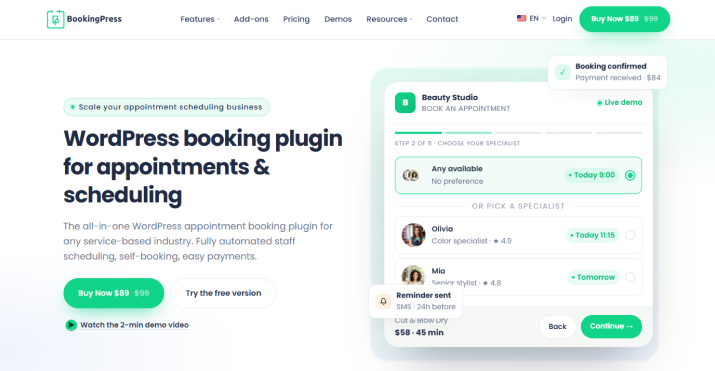
Rating: 4.4/5 Stars on Trustpilot
BookingPress was developed by Repute Infosystem, the same team behind ARMember, ARForms and AffiliatePress plugin, and has become famous as one of the most complete, feature-rich appointment booking plugins for WordPress.
Its reputation is built on a generous free lite plugin that provides a solid foundation for any service-based business, be it salon, clinic, rental, home service, or law firms. This modular, user-friendly approach is what makes it so popular-it gives business owners a functional starting point without any initial investment.
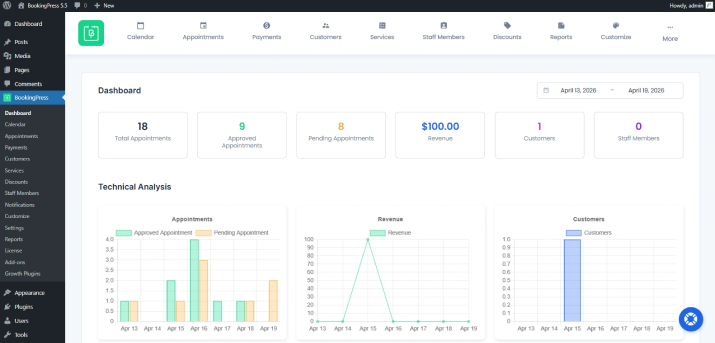
And if you ever plan to upgrade, its premium version gives you a set of 60+ premium addons at zero extra cost alongside 22+ payment gateways including Stripe, PayPal, Razorpay, Mollie, POS system and more. Advanced staff management and location management are also features worth getting a spotlight on.
When we tested BookingPress, we found its free version as well as its premium version impressive. Its setup wizard takes only 15-20 minutes to get things ready while you get a highly customizable booking form which makes booking an appointment feel like a breeze.
We compared BookingPress and Amelia and found that while both are powerful, they cater to different business structures and booking styles. BookingPress stands out for its straightforward, budget-friendly setup that comes with a wide range of payment gateways and easy customization, while Amelia is advertised as a highly polished booking plugin for complex appointments and event ticket management.
What we Like:
- Modern, SaaS-like user interface
- Easy to accept on-site and online payments, full or deposit
- Two-way syncs with Google, Outlook and Apple calendar
- Automatic notifications via email, SMS, WhatsApp, and Telegram
- Advanced multi-staff and multi-location management
- Coupon codes, gift cards, service extras, packages, waitlist, resource management
- AI assistant integration
Where BookingPress Beats Amelia:
- Bundles 60+ premium addons into one premium plan while Amelia uses a highly tiered feature gate.
- Comes with 21+ payment gateways in-built even in its Standard starting plan while Amelia lists a much narrower pool of native options which you can count on fingers.
- Generous free version that allows installations on unlimited websites and accepts unlimited appointments and online payments via PayPal.
- Highly customizable booking form with extensive styling options.
- Excellent customer support, beginner friendly documentation and video tutorials.
The Downsides You Should Know Before Switching:
- Although BookingPress bundles many add-ons in paid plans, features like REST API access require jumping up to higher tiers (such as Enterprise)
- Amelia excels heavily at complex event management which BookingPress handles slightly less natively.
Is BookingPress Worth Switching to From Amelia? Yes, of course! If you had enough of Amelia breaking your clients booking experience and tier-gating essential features, BookingPress is worth it. In fact, BookingPress is the best alternative for Amelia users who want a modern, SaaS-like user interface, wide range of features and value for their money.
Cost:
- Free version available
- Standard Plan: $89/year (Amelia: $99/year) for 1 site
- Professional Plan: $139/year (Amelia: 329/year) for 3 sites
- Enterprise Plan: $249/year (Amelia: $449/year) for 20 sites
The lifetime plans for both BookingPress and Amelia start from $229.
2. LatePoint

Rating: 4.9/5 Stars on WordPress.org
LatePoint was created by the founder and lead developer Tamik, though Latepoint LLC, and its widely known as a go-to plugin for turning any WordPress site into a complete online booking system. It’s popular for its modern, app-like interface, which replaces older and clunky WordPress booking forms. It is built to be fast and lightweight.
When we tested it, the onboarding wizard let us configure agents, working hours and services in just a few minutes. Best of all, alongside one-on-one appointments, you can also easily create group appointments, workshops, and paid event tickets with QR code check-ins.
Compared to Ameliam, while both are top-tier WordPress booking plugins, LatePoint wins on pricing transparency, visual minimalism and out-of-the-box feature completeness, making it good-fit for high end boutique brands and single site setups. Yet, Amelia, by contrast, takes the lead when handling highly complex team matrices, native Outlook/Teams environments, and multi-tier ticketed events.
What we Like:
- Ultra-Fast 3-Step Booking Wizard
- Service extras and upsells
- Events and group bookings
- Customer dashboard and cabinet
- Connects with 12+ payment gateways like Stripe, PayPal and Square
- Syncs with Google calendar, Google Meet and Zoom
- Capacity and pricing per event
- Automatic reminders via Email, SMS, and WhatsApp
Where LatePoint Beats Amelia:
- No feature gating across paid tiers
- More affordable lifetime value
- Features an ultra-clean UI, heavily optimized mobile booking flow
- A true “working” free version unlike Amelia’s lite version
- For developers and agencies building multiple client websites, LatePoint provides a neat ceiling at $599 for a 100-site Agency license, while Amelia’s unlimited “Elite” lifetime tier scales up to $899.
The Downsides You Should Know Before Switching:
- While LatePoint Pro has introduced basic event capabilities, it cannot match Amelia’s sophisticated event-handling infrastructure
- Amelia boasts deep compatibility with WP Fusion
- LatePoint’s highest tier (“Agency”) caps out at 100 sites but Amelia’s Elite offers unlimited domain licenses.
- Latepoint trustpilot account is penalized due to guidelines violations.
Is LatePoint Worth Switching to From Amelia? Switching to LatePoint from Amelia is worth it if you prioritize an ultra fast and minimalist backend interface, desire all premium features unlocked on a single tier and need a better multi-agent starting setup.
Cost:
- Free version available
- The premium plan starts at $69 for first year and renews at $99/year (Almost same as Amelia Standard Plan).
3. MotoPress Appointment Booking
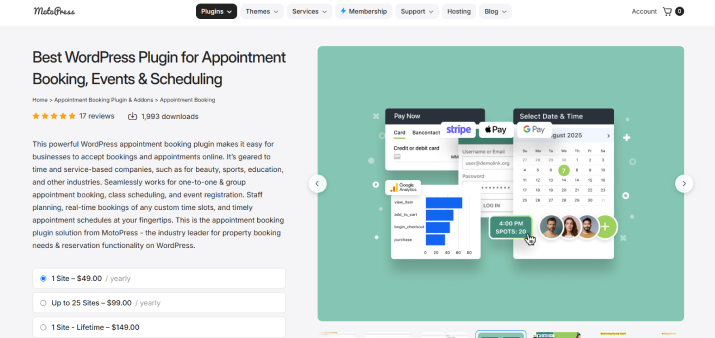
Rating: 4.5/5 stars on WordPress.org
MotoPress Appointment Booking is a WordPress-native booking plugin built for appointment-based businesses such as salons, spas, consultants and wellness studios.
When we tested it, we found it to be a clean and good option for appointment based businesses that want reliable time-slot booking. Compared to Amelia, its free version is worth considering.
What we Like:
- Clean WordPress native booking experience with real time availability.
- Customers can choose a service provider or assistant based on skills or preference .
- Staff management and online payments are included.
- Customizable booking forms for service-specific intake.
- Simpler dashboard than Amelia for small teams.
- Good fit for salons, spas, consultants and wellness studios.
Where MotoPress Beats Amelia:
- Easier to set up for small appointment-based businesses.
- Less overwhelming dashboard for beginners.
- More focused on straightforward time-slot booking.
- Better choice for businesses that do not need Amelia’s complex event and ticketing infrastructure.
- Cleaner customer booking flow for simple service businesses.
The Downsides You Should Know Before Switching:
- It is not as feature rich as BookingPress or Amelia for large multi-location operations.
- Advanced automation, deep CRM connections and complex event workflows are limited.
- Businesses needing 50+ staff members or highly specialized scheduling will surely outgrow it.
- The add-on ecosystem is smaller than BookingPress..
Is MotoPress Worth Switching to From Amelia? MotoPress is worth switching to from Amelia if you run a small salon, spa, consultancy or wellness studio and want a simpler, less expensive WordPress booking setup. However, if you need advanced multi-location scheduling, deep integrations or a large add-on ecosystem, BookingPress is the stronger alternative.
Cost:
- Free version available
- The pro paid plan starts at $49/year, but for using it on real service-based business site, you need to go for the Pro bundle starting at $99/year (Again same as Amelia but better)
- Multi-site Plan: $99/year for up to 25 sites.
- Lifetime Plan: $149 for 1 site.
4. The Events Calendar
Rating: 4.2/5 Stars on WordPress.org
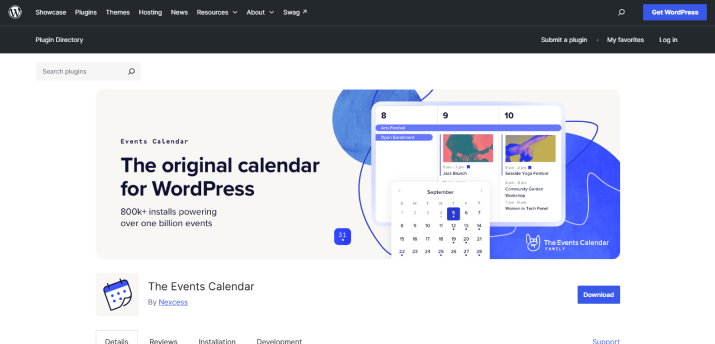
The Events Calendar was developed by the team behind StellarWP and has become one of the most famous used event calendar plugins in the WordPress ecosystem. And, it’s popular among event organizers, educational institutions, nonprofits, venues, and businesses that regularly host in-person or virtual events.
Its reputation is built on a powerful free core plugin that provides an organized way to publish, display, and manage events directly from your WordPress website. Unlike traditional appointment booking plugins, The Events Calendar focuses more on event discovery and calendar management rather than individual staff schedules and service-based appointments.
When we looked at The Events Calendar, its simplicity was one of its very biggest advantages. And when we compared The Events Calendar and Amelia, we found that they serve somewhat different purposes. Amelia is designed to manage appointments, employees, services, and event bookings from one centralized dashboard. The Events Calendar, in contrast, focuses on publishing and organizing events with dedicated calendar views, event categories, venues, and organizers.
What we Like:
- Clean and organized event calendar with monthly, daily and list views .
- Easily create events with dedicated venue and organizer information
- Built-in Google Maps integration to help visitors find event locations
- Google Calendar and iCal export options
- Responsive event calendars that work across mobile, tablet, and desktop.
- Supports event categories, tags, and event search.
- WP REST API endpoints
- Free Event Tickets plugin for collecting RSVPs and selling basic event tickets
Where The Events Calendar Beats Amelia:
- A more dedicated event publishing experience with multiple calendar layouts.
- Extensive event customization options through hooks, filters, template overrides, and developer documentation.
- A strong ecosystem of extensions for recurring events, event imports, ticketing, and community-submitted events.
- A free core calendar plugin with no need to purchase a premium plan just to start publishing events.
- More specialized tools for organizing large public event calendars, venues, and organizers
The Downsides You Should Know Before Switching:
- The biggest limitation is that The Events Calendar isn’t a complete appointment booking plugin. It doesn’t offer Amelia’s service-based booking workflow, employee scheduling,or appointment management out of the box
- Recurring events, advanced calendar views and several other important capabilities require the premium Events Calendar Pro extension.
- For paid ticket sales, you will need Event Tickets Plus, which integrates with WooCommerce or Easy Digital Downloads
Is The Events Calendar Worth Switching to From Amelia? Yes, but only if your business is more focused on publishing and managing public events than accepting individual service appointments. But if you are running a salon, clinic, consulting business, or any service-based business that depends on employee schedules and individual appointments, we would stick with a dedicated booking plugin instead.
Cost:
- Free core plugin available.
- Events Calendar Pro:
- 1 Site: $199 per year
- 3 Sites: $399 per year
- 10 Sites: $499 per year
- Multisite / Unlimited: $999 per year
5. FluentBooking
Rating: 4.7/5 Stars on WordPress.org..
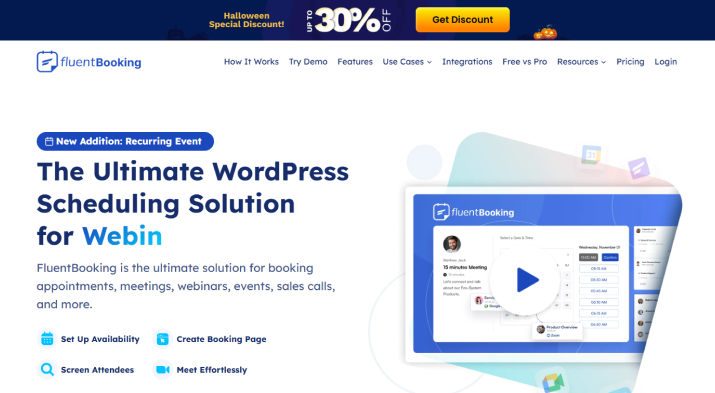
Developed by WPManageNinja, the same team behind popular WordPress products like Fluent Forms and FluentCRM, FluentBooking is becoming a well-known option around the WordPress ecosystem.
We compared FluentBooking and Amelia and found FluentBooking stands out for its calendar synchronization, video conferencing, and meeting-based scheduling workflows but Amelia still offers a more comprehensive service booking system with advanced staff management, service extras, event tickets, and more extensive payment options.
What we Like:
- Unlimited calendars and hosts across paid plans.
- Clean, modern and beginner friendly booking interface.
- Supports one-on-one, group, team, and round-robin meetings.
- Two-way calendar synchronization with Google, Apple, Outlook and Nextcloud.
- Native integrations with Zoom, Google Meet and other meeting tools.
- Accept payments via Stripe and PayPal.
- Automated email and SMS notifications and reminders.
- Native integrations with FluentCRM and Fluent Forms.
- Webhooks and visual booking reports for managing and automating workflows.
- Supports in-person, phone, and virtual meeting location.
Where FluentBooking Beats Amelia:
- Offers unlimited hosts and calendars across its paid plans.
- A more focused and straightforward meeting scheduling experience for consultants, coaches and remote teams.
- Better two way calendar sync with Google, Apple, Outlook and Nextcloud.
- Native video conferencing integrations for Zoom and Google Meet.
- Excellent integration with other Fluent products.
The Downsides You Should Know Before Switching:
- Businesses that need advanced service catalogs, service specific pricing, packages and resource based scheduling will find it limiting.
Is FluentBooking Worth Switching to From Amelia? Yup, absolutely! But….if you’re running a salon, spa, clinic, or another service-based business with multiple services, staff-specific pricing, and complex appointment workflows, Amelia or BookingPress would be a better fit.
Cost:
- Free version available.
- Solo Plan: $79/year for 1 site
- Small Business Plan: $199/year for 5 sites
- Agency Plan: $399/year for 50 sites
- Lifetime plans start at $249 for 1 site, with higher tiers available
6. SimplyBook.me
Rating: 4.5/5 Stars on Trustpilot
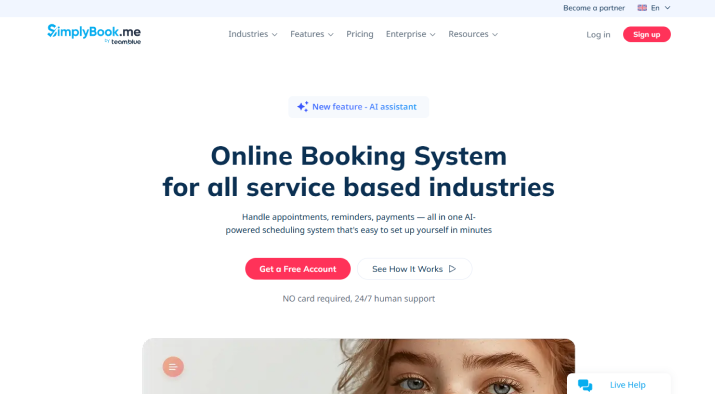
SimplyBook.me is a cloud-based appointment booking platform that has become popular among WordPress users because it used to have a WordPress plugin to connect your site with its platform natively (but it doesn’t right now). Instead, it gives a dedicated booking system that you can connect to your WordPress website using its official booking widget.
Its reputation is built on a highly customizable booking platform with a large collection of optional features. Thus, you get everything from appointment scheduling and customer management to payment processing, marketing tools and multiple booking locations. Best of all, the platform also offers its own booking website and mobile applications.
When we tested, we realized its biggest advantage was the sheer number of business specific features available. You can configure different service providers, manage working hours, customize booking notifications, and even allow customers to book multiple services in one checkout.
What we Like:
- Multiple service providers and customizable working schedules.
- Automatic email confirmations, reminders and cancellation notifications.
- Accepts online payments, deposits, and tips.
- More than 50 optional custom features.
- Supports multiple locations, service categories and employee management.
- Dedicated admin and client mobile applications.
- Built-in AI assistant for managing services, schedules and booking.
Where SimplyBook.me Beats Amelia:
- Offers a dedicated cloud-based booking environment.
- Has dedicated admin and client mobile applications for managing appointments outside your website.
- Offers a large collection of optional business-specific features, including membership booking, ticketing, intake forms and marketing tools.
The Downsides You Should Know Before Switching:
- SimplyBook.me is not a native WordPress booking plugin. Your actual booking system operates on its hosted platform, which means you don’t get the same level of WordPress database ownership and customization.
- The free plan is quite restrictive, allowing only 50 bookings per month.
Is SimplyBook.me Worth Switching to From Amelia? Yes, but only if you don’t mind moving your booking operations outside WordPress and prefer a dedicated cloud based scheduling platform.
Cost:
- Free Plan: $0/month for 50 bookings – 1 provider, and 1 custom feature.
- Basic Plan: €11.90/month (billed annually) for 100 bookings and 5 providers.
- Standard Plan: €24.90/month (billed annually) for 500 bookings and 15 providers.
- Premium Plan: €49.90/month (billed annually) for 2,000 bookings and 30 providers.
- Enterprise Plan: Custom pricing.
Let’s Wrap It Up
While Amelia is a powerful booking plugin, it’s not the right fit for everyone, especially after its user experience breaking and bugs issues. Thus, if you’re a serious growing service-business, switching to a reliable and trustworthy booking plugin is the best case.
There are many WordPress booking plugins in the WordPress ecosystem, and here, we handpicked the best alternatives to Amelia plugin:
- BookingPress
- Latepoint
- MotoPress Appointment Booking
- The Events Calendar
- FluentBooking
- SimplyBook.me
However, if you want an all-in-one, complete WordPress appointment booking plugin, and best Amelia alternative to switch to, BookingPress is the one we’d recommend.
We’ve seen many Amelia users switching to BookingPress smoothly using its Migration addon that comes in-built with all of its plans. This ensures your customer, staff, service, location and other data gets imported safely.
Looking for a better Amelia alternative? Make the switch to BookingPress and enjoy a smoother booking experience.
You may also like