6 Best WordPress Backup Plugins in 2026 (Expert Review)


Running a WordPress website means dealing with enough problems already. Plugin conflicts, failed updates, hosting issues, and security threats. Guess you never really know what might go wrong next.
And when something does go wrong, the first question is mostly, “Can I get my website back?”
That’s where a good backup becomes invaluable. A recent backup can save you from rebuilding pages, re-uploading files or losing important content.
But not every WordPress backup plugin works the same way. Some are easier to use. Some offer automatic or real time backups. And others are better for migrations, staging or advanced backup management.
Thus, we looked at 6 of the best WordPress backup plugins for 2026 to see which ones are actually worth using and which one would be the right fit for your website.
Quick Look: Best WordPress Backup Plugins for 2026
No time to read? No worries! Here are the best Backup plugins for WordPress to backup WP sites with ease.
| Plugin | Best For | Free Version | Starting Price |
| UpdraftPlus | Best overall backup and restore | ✅ | $70/year |
| Jetpack VaultPress Backup | Real time backups | ❌ | $119.40/year |
| WPvivid | Backup, migration, and staging | ✅ | $49/year |
| BackWPup | Flexible backup management | ✅ | $49/year |
| Total Upkeep | Automatic backups and recovery | ✅ | $30/year |
| Backuply | Simple backups for beginners | ✅ | $18/year |
How We Test and Review Backup Plugins For WordPress
Every WordPress backup plugin can look great on paper. It can have dozens of features, multiple storage options, automatic scheduling, migration tools and a long list of integrations.
But when your WordPress site goes down, none of that matters if you can’t create a backup reliably or restore your website without a headache.
That’s exactly why we never evaluate these WP backup plugins based only on their feature lists or marketing claims.
For this review, each backup plugin should go through the same testing process on a WordPress test site. Thus we look at the complete backup journey, from creating the first backup to scheduling future backups, storing them safely and restoring the website when needed.
Thus here’s what we test across:
- Backup setup: How easy is it to install, configure, and create the first backup?
- Backup performance: How long does a backup take, and what is the resulting backup size?
- Automation: Can you schedule automatic daily, weekly or custom backups?
- Storage: Where can you store backups and which storage options are available for free or paid users?
- Restore: How easy is it to find a backup and restore the website?
- Migration and staging: Does the plugin support website migration, cloning or staging?
- Performance: Does the plugin work reliably without affecting the website?
- Pricing and value: What features do you actually get with the free and premium versions?
Where possible, we record measurable results such as backup time, restore time, backup size, available storage destinations, and the number of steps required to complete important tasks.
This gives each plugin the same baseline for comparison rather than judging one plugin on features that we don’t check in another.
Furthermore, to keep the comparison consistent, we score every plugin using the same framework:
| Testing Area | Weight |
| Backup & Restore | 25 |
| Ease of Use | 15 |
| Automation & Scheduling | 15 |
| Storage Options | 10 |
| Performance & Reliability | 10 |
| Migration & Staging | 10 |
| Features & Flexibility | 5 |
| Pricing & Value | 10 |
| Total | 100 |
Backup and restore receive the highest weight because they’re the core purpose of any backup plugin. A plugin shouldn’t rank highly simply because it has a long feature list.
We also separate free and premium features so you can see what you can actually use without paying.
Our Testing Approach
We test the WP backup plugins in comparable WordPress environments and use the same evaluation process for each one. Plus, we also pay close attention to the restore experience because creating a backup is only half the job.
For instance we check whether you can:
- Easily locate a previous backup
- How many steps restoration takes
- Whether the plugin reports errors clearly
- Whether additional tools are needed
Actual performance can vary depending on your hosting, website size, server resources and storage destination. Thus our numbers are used for fair comparison rather than as a guarantee of identical results on every website.
The goal is simple: help you choose a WordPress backup plugin that you can trust before you actually need that backup.
Our Picks For The 6 Best WordPress Backup Plugins
UpdraftPlus
| Details | Our Review |
| Best for | All around WordPress backups and restores |
| Our Rating | 9.5/10 |
| Testing Score | 95/100 |
| Quick Verdict | A reliable, beginner friendly backup solution with powerful scheduling, remote storage and restore options. |
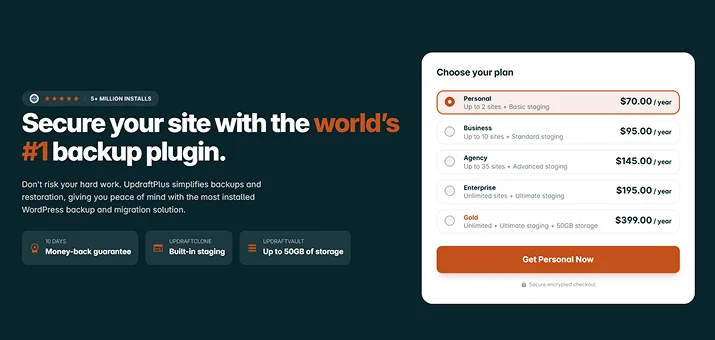
UpdraftPlus is one of the easiest backup plugins to get started with. During our testing, we focused on the complete backup experience, and this one immediately hits different.
The setup process is simple, and the main backup controls are easy to find from the WordPress dashboard. What’s more is that we could create a backup without having to work through a complicated configuration first. This makes UpdraftPlus a particularly comfortable option if you’re managing WordPress for the first time.
Moreover, we also tested its backup and scheduling capabilities to see how practical they are for an everyday website. After testing it, we can confirm that you can schedule automatic backups and pick how frequently they run. This means you don’t have to remember to create backups manually.
One of its biggest good points is the range of remote storage options. Keeping backups away from your main hosting account is important because a problem with your server shouldn’t leave you without both your website and its backup.
The restore experience is another area we paid close attention to. UpdraftPlus provides a straightforward way to select an existing backup and restore the required website components.
That said, UpdraftPlus isn’t perfect. The number of settings and available options can feel overwhelming when you first explore the plugin, and some advanced features need the premium version. Beginners may need a little time to understand which backup and storage settings are best for their website.
All in all, our testing found UpdraftPlus to be a powerful all-around option for website owners who want automated backups, flexible storage and a practical restore process.
Key Features
- Full website and database backups
- Multiple remote storage destinations
- Backup restoration
- Website migration and cloning
- Incremental backups
- Backup retention controls
- Free and premium versions
Pricing:
- Free version available.
- The premium plan starts from $70/Year.
UpdraftPlus offers a free version with core WordPress backup features. Meanwhile, its premium plans add advanced features such as additional storage integrations, incremental backups, enhanced restoration options and migration related capabilities.
Jetpack VaultPress Backup
| Details | Our Review |
| Best for | Real time WordPress backups and quick restores |
| Our Rating | 9.3/10 |
| Testing Score | 93/100 |
| Quick Verdict | One of the best choices for website owners who want real time cloud backups, automatic protection and a simple one click restore experience |
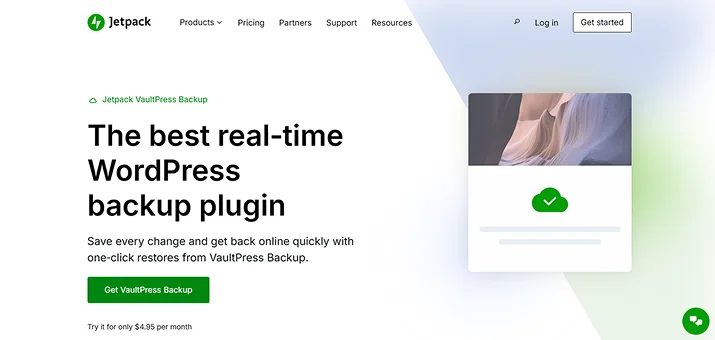
Jetpack VaultPress Backup takes a different approach compared to UpdraftPlus here. It doesn’t make you think about backup schedules all the time, but simply works in the background and automatically backs up changes to your site.
Jetpack backup says it offers daily backups along with real time backups for changes such as posts, pages, comments, media, plugins, themes, settings and WooCommerce data.
And when our team of experts tested it, the biggest thing that stands out is how little manual backup management it needs. After the service is connected, backups are handled automatically which is useful if you run a busy website and don’t want to remember to create backups yourself.
The real time approach is also a huge plus point for sites that change frequently. Thus if you’re running an online store or publishing content throughout the day, losing a full day’s worth of changes because of a single backup point can be frustrating. VaultPress Backup is designed to capture changes more frequently.
There are a few limitations to keep in mind. VaultPress Backup is a paid service and each plan supports one WordPress site. It also doesn’t currently support WordPress multisite.
Thus Jetpack VaultPress Backup is a good fit if real time cloud backups and simple restoration matter more to you than having lots of manual backup controls.
Key Features
- Real time cloud backups
- Daily full backups
- One click restores
- 10GB of starting backup storage
- Activity log
- WooCommerce backup support
- Automatic backups
- Unlimited restores on applicable plans
Pricing
- Free version available
- The paid plan starts from $119.40 per year for Jetpack VaultPress Backup (10GB)
The standalone VaultPress Backup plan is currently advertised at $4.95/month for the first year when billed yearly, compared with the regular $9.95/month price. The promotional price applies to the first year only with renewals at the regular rate so don’t fall for this trap.
WPvivid
| Details | Our Review |
| Best for | Backup, migration and staging |
| Our Rating | 9.2/10 |
| Testing Score | 92/100 |
| Quick Verdict | A flexible WordPress backup solution that combines backups, cloud storage, migration and staging in one plugin. |
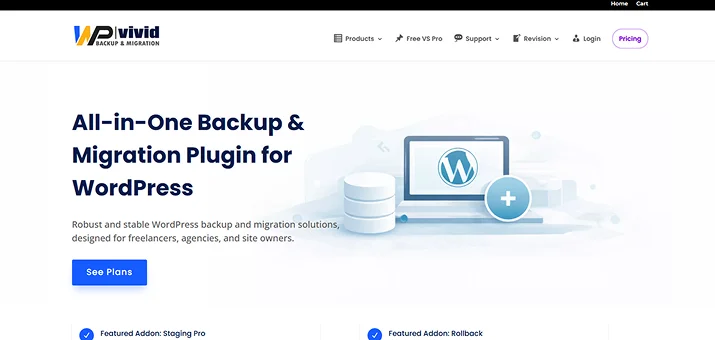
WPvivid feels more like an all-in-one WordPress site management tool than a plugin focused only on backups. Along with regular file and database backups, it brings migration and staging into the same workflow.
One thing we like is the control you get when creating a manual backup. WPvivid lets you choose between backing up the entire site, files only, the database only or selected content. Plus, you can always choose whether to store the backup locally or send it to cloud storage.
The storage flexibility is another thing worth your attention. Based on the version, WPvivid supports destinations including Google Drive, Dropbox, Amazon S3, OneDrive, FTP, SFTP, WebDAV, Backblaze and other storage services.
We also like that backup management isn’t limited to a simple “backup now” button. You can control schedules and retention rules, while the Pro version adds more advanced scheduling, incremental backups, selective content backups, and additional restore options.
The downside is that all these options can make the plugin feel a little more complicated than a basic backup solution. Thus if you only want automatic backups and don’t care about migration or staging, some of WPvivid’s additional controls may be more than you need.
For agencies, freelancers, and website owners who regularly move or test WordPress sites, however, that flexibility becomes a big advantage.
Key Features
- Full site and database backups
- Scheduled backups
- Cloud storage
- One click restore
- Website migration
- Staging
- Incremental backups in Pro
- Selective backup and restore
- Multisite support in Pro
Pricing
- Free version available
- The premium plan starts from $49/year
WPvivid has a free version with core backup, migration, cloud storage, scheduling, staging, and restore features. Its Pro plans currently start at $49/year for 2 domains, while lifetime plans start at $99 one-time for 2 domains.
BackWPup

| Details | Our Review |
| Best for | Flexible scheduled backups and cloud storage |
| Our Rating | 9.0/10 |
| Testing Score | 90/100 |
| Quick Verdict | A flexible backup plugin with extensive scheduling, storage, multisite, restore, and migration capabilities |
BackWPup is built for website owners who want more control over how their WordPress backups are created and stored.
This WordPress backup plugin allows you to choose what to back up, when to back it up and where to store the resulting files. And let’s be honest – that’s all we need from a WP backup plugin.
You can create backups of your complete WordPress files, database, selected content or even non WordPress files and folders. Scheduling is also flexible with options for hourly, daily, weekly,and monthly backups.
Best of all, this wordpress backup and restore plugin also supports destinations including Google Drive, Dropbox, Amazon S3, OneDrive, FTP/SFTP, and several other services. This gives you plenty of options if you don’t want to keep your only backup on the same server as your website.
The restore options are interesting too. BackWPup Pro includes one click restoration and a standalone restore app which can be useful if you’re locked out of the WordPress dashboard.
The main drawback is that its extensive options may feel more technical to beginners. Thus if you want a highly simplified backup experience, another plugin may feel easier.
But if you want control over backup content, schedules, storage, and recovery, BackWPup is a solid option.
Key Features
- Complete file and database backups
- Automatic scheduled backups
- Hourly, daily, weekly, and monthly schedules
- Multiple cloud storage destinations
- AES-256 archive encryption
- WordPress multisite support
- One-click restore
- Standalone restore app
- Migration tools
- WP-CLI support
Pricing
- Free version available
- The premium plan starts at $49/year
BackWPup offers a free version and paid plans currently start at $49/year for 2 domains. Its higher plans support up to 5 or 20 domains and add features such as premium storage options, encryption, migration and the restore app.
Total Upkeep
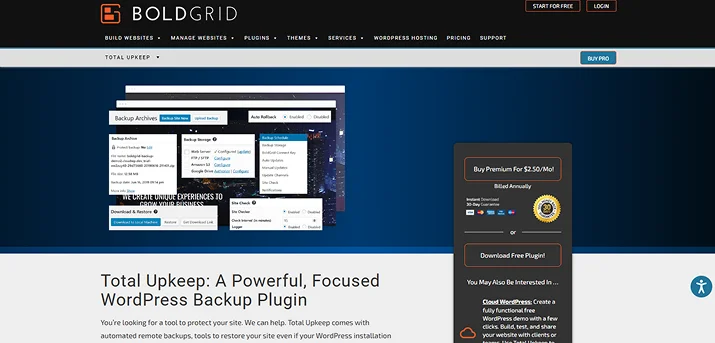
| Details | Our Review |
| Best for | Automated backups and easy website recovery |
| Our Rating | 8.8/10 |
| Testing Score | 88/100 |
| Quick Verdict | A practical WordPress backup solution with automatic backups, remote storage and tools for restoring or rolling back a site when something goes wrong |
Total Upkeep takes a practical approach to WordPress backups by automatically protecting your website on a schedule.
During our testing, we found the backup controls relatively simple to work with. Further, the plugin lets you create manual backups when needed, and also provides scheduled backup options for ongoing protection.
One feature that stands out is its automated rollback capability. Total Upkeep can create backups before updates. This gives you a recovery point if a WordPress, plugin or theme update causes a problem.
Remote storage is another useful part of the plugin. You can store backups away from your hosting environment, which gives you an additional layer of protection if something happens to your server.
The main limitation is that some of the more advanced backup, storage, and recovery capabilities are reserved for the premium version.
Thus Total Upkeep is a good option if your priority is automated WordPress backups with an emphasis on recovery and rollback after updates.
Key Features
- Automatic and scheduled backups
- Manual backups
- Remote backup storage
- Website restoration
- Automated rollback before updates
- Database and file backups
- Backup retention
- Website migration features
Pricing
- Free version available
- The premium starts from $30/year
Total Upkeep offers a free version with core backup and restoration functionality. The premium version adds more advanced backup, storage and recovery features.
For users who only need basic WordPress backups, the free version can be a reasonable starting point. But those managing business or client websites will find additional automation and recovery features of the premium version more useful.
Backuply

| Details | Our Review |
| Best for | Simple backups and easy restoration |
| Our Rating | 8.7/10 |
| Testing Score | 87/100 |
| Quick Verdict | A beginner friendly backup plugin focused on simple backup creation, scheduled protection, cloud storage, and straightforward restoration. |
Backuply is designed with simplicity in mind, which becomes apparent when you start working through its backup controls. Rather than overwhelming you with a large number of technical settings, it focuses on the core tasks most WordPress website owners actually need.
During our testing, we looked at how easily we could create a backup, schedule future backups, manage existing backup copies and restore the website when necessary.
The plugin supports both manual and scheduled backups. So you can create an immediate backup before making a major website change or let the plugin handle recurring backups automatically.
On top of that, Backuply supports website migration and cloning too, which makes it even more useful than a plugin that only creates backup files.
Where Backuply may not be the best fit is for users who want an extremely extensive ecosystem of advanced integrations and configuration options. As we said before it focuses on simplicity, not features. So for beginners, bloggers and small business websites, that simplicity can actually be an advantage.
Key Features
- Manual WordPress backups
- Automatic and scheduled backups
- Database and file backups
- Cloud backup storage
- Website restoration
- Website migration and cloning
- Backup retention
- Incremental backup
- Up to 100GB Backuply Cloud Storage
Pricing
- Free version available
- The premium plan starts from $18/year
Backuply offers a free version for basic WordPress backup needs, while its premium version adds additional storage, automation, migration and advanced backup capabilities. Thus if you’re managing a relatively simple WordPress website, the free version can be enough to get started.
Final Verdict: What Is The Best Backup Plugin For WordPress?
In a nutshell, there isn’t one best WordPress backup plugin for every website. The right choice depends on:
- How often your site changes
- How much control you want over backups
- Where you want to store them
- and, how important quick restoration is for you
Still confused which one is the best backup plugin for WordPress?
For most WordPress website owners, UpdraftPlus is our top pick. This best WordPress backup plugin doesn’t try to win by offering every possible feature. Instead, it does the core job of backing up and restoring a WordPress site well plus gives you enough flexibility to decide how and where your backups are stored.
But don’t pick a plugin simply because it has the highest score. The best backup plugin is the one that matches how your website actually works.
And whatever plugin you invest in, don’t stop at creating backups. Test the restore process, keep copies away from your hosting account and make sure your backups are actually running.
A backup you can’t restore when your site goes down isn’t much of a backup at all.
You may also like
- 8 Best WordPress Membership Plugins Compared (2026)
- How to Build a Survey Form in WordPress? (Step By Step)
- 7+ Effective Portfolio and Gallery Plugins for WordPress in 2026
FAQs
What is the best plugin for backing up a WordPress site?
UpdraftPlus is the best plugin for backing up a WordPress site. It lets you schedule automated backups and send files straight to Google Drive, Dropbox or Amazon S3.
What is the best free WordPress backup plugin?
WPvivid, BackWPup and UpdraftPlus WordPress backup plugin are the best free WP backup plugins to backup your WordPress site securely and freely.
How do I backup my entire WordPress site?
You can easily backup your entire WordPress website using a backup plugin for WordPress. Just install a trusted WP backup plugin, connect it to an external cloud storage account and backup WordPress website manually or set up an automated schedule.
How do you manually backup your WordPress site?
If you don’t wanna use an easy way of installing a backup plugin, you can manually backup your WordPress site by storing your website files and SQL database safely on your local computer or external cloud storage.
How to backup WordPress site for free?
You can backup your WordPress for free by installing a free WordPress backup plugin like UpdraftPlus and linking it to a free remote storage account like Google Drive or Dropbox.
What is the best way to backup a WordPress site?
Using a WordPress backup plugin is the best way to backup a WordPress site.