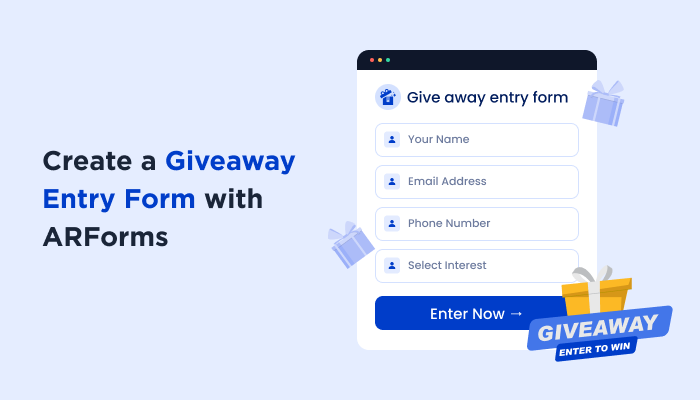
How to Set Up and Create a Giveaway Entry Form with ARForms


A giveaway should be exciting; never a mess of comments, emails and DMs that you have to sort through later.
A giveaway entry form gives participants one simple place to enter while helping you collect and organize their information. No matter whether you’re giving away a product, service, gift card or another prize, you can create a professional giveaway form in WordPress without making the entry process complicated.
Here’s how to create a giveaway entry form in WordPress using ARForms.
What Is a Giveaway Entry Form?

A giveaway entry form is a simple online form, more like a questionnaire, that people fill out to join a free contest or prize drawing.
In other words, it’s an online form people fill out to join sweepstakes. The giveaway form is designed to collect basic information such as user’s:
- Name
- Phone Number
And more so the organizer knows who entered in, and can contact the participant later if they win a prize. Most companies and creators use these giveaway entry forms to gather a list of interested people and give the participants a fair and square chance to win a prize.
In most scenarios, companies and organizers prefer to create their own giveaway entry form to avoid sorting through messy comment sections or direct messages.
If you also want to create your own giveaway entry form, here you go.
How to Create a Giveaway Entry Form in WordPress
Step 1: Install and Activate ARForms Alongwith Right Addons
Before you can make your giveaway, you’ll first need to install ARForms. The installation process is simple just like any other WordPress plugin you’ve set up.
- Go to ARForms official website.
- Download the ARForms Lite or Pro (we’d recommend going with ARForms Pro as it comes with all the features you need, or you can try our Lite version first then upgrade to Pro.).
- Now head back to your WordPress dashboard → Plugins → Add Plugin.
- Next upload your ARForms zip file by clicking on Upload Plugin, and hit the “Install Now” followed by “Activate”.
- That’s all.
If you’ve never done that before, check out our beginner friendly Getting Started with ARForms guide.
Since the end goal of giveaway entry forms is to collect leads, worth mentioning ARForms integrates with most of all popular WordPress email marketing plugins such as Mailster, ActiveCampaign, AWeber, Keap, Advanced Mailchimp, Advanced AWeber, Advanced ActiveCampaign, Zapier, Mailerlite, Brevo and a lot more.
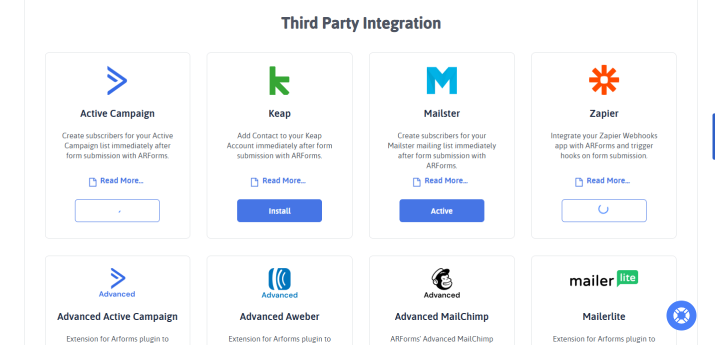
Once you activate your ARForms Pro license, you can easily activate these addons from ARForms → Addons.
Step 2: Create a New Online Form
As we all know, a giveaway signup form is no different than an ordinary lead generation form or a signup form. The goal is to mainly get the user’s name and email address.
Once ARForms is installed, it’ll be best to explore and get familiar with its interface first. Creating an online giveaway entry form with ARForms is simple.
Go to the ARForms → Manage Forms → Add New Form.
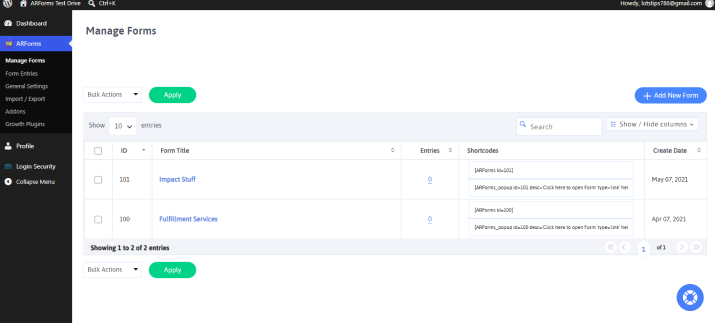
Before jumping straight to designing, first give a name and description to your giveaway form. You can even select the style theme of your form here with options including:
- Material Outlined
- Standard Style
- Material Style
- Rounded Style
You can change this later as well so no need to fuss over now.
Now here’s one thing that: if you don’t want to create a giveaway entry form from scratch, you can just pick a template or go with a sample form. The best part is ARForms comes with over 50+ professionally designed sample forms so you pick whatever turns your head, and customize it your way later.
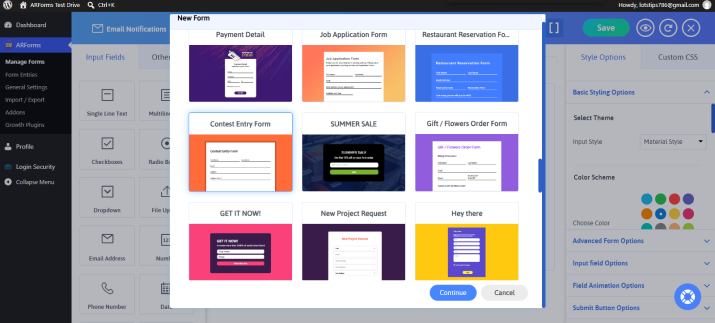
Remember if you’re going with a ready-to-do template, no need to add Form Title or Form Description.
Once you find the giveaway form that matches your idea, select it and continue.
Step 3: Add the Giveaway Entry Fields
Let’s add all the necessary key form fields which are needed for creating a giveaway signup form.
With ARForms, all you have to do is simply drag and drop the form field from the Input Fields section to your form. You can add form fields such as…
- Name – use a Single Line Text field.
- Email – use the Email Address field.
- Giveaway Question (Optional) – Want participants to answer a simple question, then drag and drop a Single Text Field here.
- Terms and Conditions – Let participants agree to your giveaway rules with a checkbox.
These form fields cover all the basic info you need to collect from giveaway participants. Moreover, you can even add extra fields if your giveaway needs extra information.
However, always try to keep the form short and avoid making unnecessary fields required. This gives visitors a quick and easy way to enter your giveaway.
Worth mentioning that you can just add any important giveaway details directly to the Form Description. This appears just below the form title. So use this space to explain all details such as the prize, entry deadline, eligibility requirements and winner announcement. This way participants can understand the giveaway before submitting the form.
Step 4: Customize the Giveaway Form Design
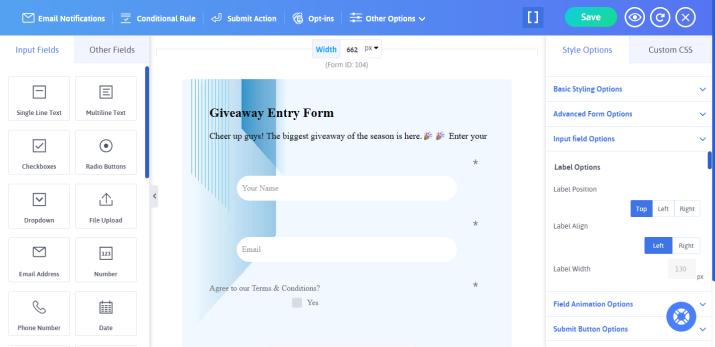
Now you’ve added all the necessary fields. So time to give your giveaway signup form a look that matches your brand and makes it easy for visitors to complete.
ARForms lets you personalise your form’s layout, colors, fonts, field styles, buttons and other design elements with no need to write even a single line of code.
Thus here’s how you can customize your giveaway form:
- Pick a Form Layout: Select a layout that keeps your giveaway form clean and easy to follow
- Customize Colors: Match the form’s colors with your website or giveaway branding
- Style Your Form Fields: Adjust field borders, labels, spacing, and other elements to make the form easy to read
- Customize the Submit Button: Use a clear and action-oriented button text such as “Enter Giveaway”, “Enter Now”, or “Submit My Entry”
- Adjust Typography: Pick the fonts and text styles that are easy to read and consistent with your website
Last but not the least, keep your giveaway form simple always.
Whenever customizing your giveaway entry form, avoid adding too many design elements as they distract visitors from completing the form.
After you’re happy with the design, preview the form to see how it looks and…..moving on to the next step.
Step 5: Set Submission Actions and Notifications
Your giveaway form is almost ready. Now you need to decide what should happen after someone submits their entry.
ARForms allows you to set up submission actions and notifications to automatically handle what happens after a participant enters your giveaway.
Just hit on the “Submit Action” button at the top bar and you’ll see all the ways you can control form submission action.
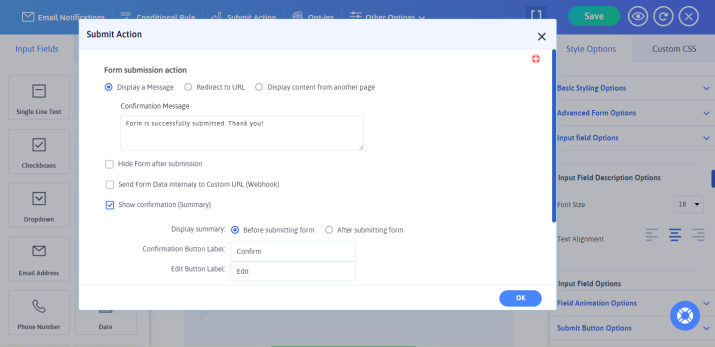
- Show a success message to let participants know that their giveaway entry was submitted successfully.
- Redirect users to a thank you page or another page after submission.
- Hide the form after submission.
- Send Form Data internally to Custom URL (Webhook).
- Set up conditional actions based on how you want to manage your giveaway entries.
- Show a confirmation message before or after submitting the form.
Next, click “Ok” and head over to Email Notifications. From here, you can set automatic notifications for users and admin upon every form submission.
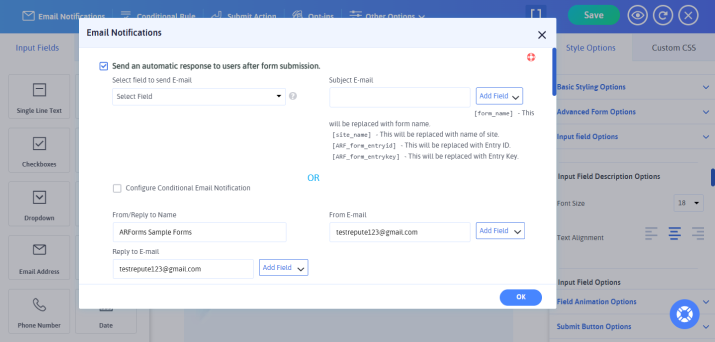
For example your confirmation message could say:
“You’re In! 🎉
Thanks for entering our giveaway. Your entry has been successfully submitted. We’ll contact the winner at the end of the giveaway.”
Step 6: Publish Your Giveaway Form Online
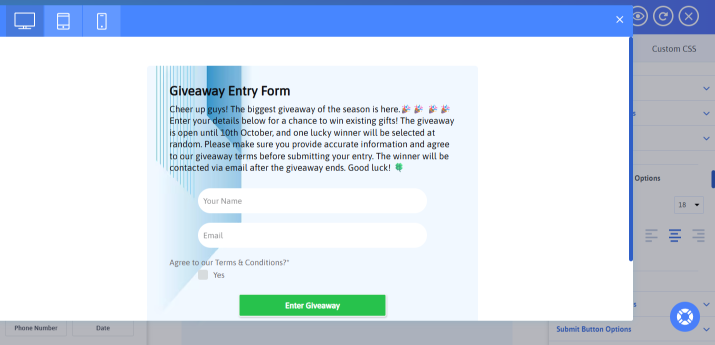
Now that your giveaway form is created, customized, and configured, now’s the time to make it available to your audience.
ARForms makes it so much easier to publish online forms on your WordPress website. Just place it wherever you want visitors to enter the giveaway using a simple form shortcode. You can get this shortcode from either Manage Forms or right from your live form editor by clicking on [] icon.
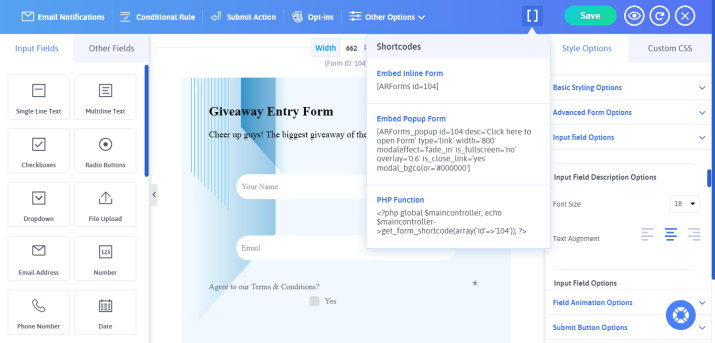
You can add your giveaway form to:
- A dedicated giveaway landing page
- A WordPress page or post
- Your website’s sidebar or widget area
- A promotional page for your giveaway
Simply publish or update the page where you want the form to appear and make sure the form is visible to your visitors.
Finally, your giveaway entry form is ready to go live. Now you can share your giveaway with your audience and start collecting entries.
Tips for Creating a High Converting Giveaway Entry Form

Creating a giveaway entry form is only half the job. You also want to make sure people actually complete it. A simple, clear and trustworthy form can help lower friction and encourage more visitors to enter.
Wanna know the inside outs of how to create a giveaway that skyrockets the popularity index? Here are some practical tips to create a high converting giveaway entry form:
Ask Only for Necessary Information
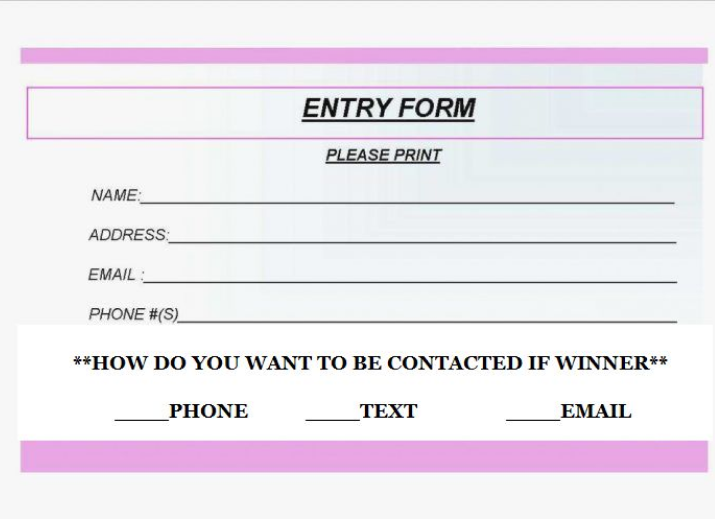
Never turn your giveaway form into a long questionnaire.
Ask for only the information you genuinely need such as the participant’s name and email address.
If you need more information, consider making those fields optional.
Remember the fewer the fields visitors have to complete, the quicker and easier it is to enter.
Use a Clear Call-to-Action
Your submit button should tell visitors exactly what will happen when they click it. Thus never just go along with a generic “Submit” button. Always try action oriented text such as:
- Enter Giveaway
- Enter Now
- Claim My Entry
- Enter to Win
A clear CTA leaves no room for confusion and makes the next step obvious.
Make the Price Clearly Visible

Don’t make visitors search for what they could win. Clearly show or tell the prize near your giveaway form and explain what makes it worth entering.
To do so, you can even add the image of the prize to grab attention and make the giveaway more appealing.
Add a Sense of Urgency

Give visitors a reason to enter now rather than putting it off until later. You can do it by clearly stating your giveaway deadline such as:
“Enter by October 31, 2026, for your chance to win!”.
A deadline which is shown clearly on top always encourages visitors to complete the form as soon as possible till the giveaway is still open.
Make the Form Mobile Friendly

Many visitors may discover your giveaway on their smartphones especially if you’re promoting it on social media. Thus make sure your free giveaway form is easy to read, tap and complete on smaller screens.
Test your form on different screen sizes before promoting your giveaway.
Tell Users What Happens After They Enter

Never leave participants wondering whether their entry went through or not. Guessing games will get you nowhere.
Thus, after form submission, always show a confirmation message or redirect them to a thank you page that explains that their entry was received.
On top of that, you can tell them when and how the winner will be announced.
Build Trust With Clear Giveaway Rules
Clearly explain the important rules before visitors submit their entry. Add details such as:
- Who can enter?
- Giveaway start and end dates
- Eligibility requirements
- How the winner will be selected
- How the winner will be contacted
- Prize details
You can also even go one extra mile by adding a clear Terms and Conditions checkbox on your giveaway form to stay away from any future legal disputes. Plus, to let your participants confirm they understand and agree to the rules.
In Conclusion: Create Your Giveaway Entry Form With ARForms
Finally, we’ve set up and created a giveaway entry form using ARForms drag and drop form builder which surprisingly took only a few steps with zero coding.
What makes creating online giveaway forms with ARForms even more interesting is it integrates with popular email marketing integrations which you can set up anytime later. Ready with 50+ professional templates and extensive styling options, you can design your giveaway form your way.
Ready to turn your next giveaway into a success? Get ARForms today and create a beautiful & high converting giveaway entry form with no coding at all.
You may also like:
- 8 Best Free WordPress Form Plugins Compared (2026)
- Must-Have ARForms Addons to Supercharge WordPress Forms
- How to Create an Online Event Registration Form? [+Templates]
FAQs
How to create a giveaway form?
You can create a giveaway form in minutes using ARForms form builder plugin for WordPress sites. Just install it on your WordPress dashboard, drag and drop the form fields, style it your way and add your form on your website page/post using a simple shortcode.
What are some simple giveaway ideas?
Here are some simple giveaway ideas:
- Custom keychains
- Stickers
- Pen
- Reusable tote bags
- Seed packets
- Hardcover notebooks
- Custom mugs or tumblers
What is the best way to do a giveaway?
The best way to do a giveaway is to decide a relevant prize, keep entry rules simple and add a giveaway entry form on your website page or post using ARForms form builder plugin for WordPress. After the form is submitted, let the system send automatic confirmation, and at last, you announce a winner by emailing them back.
Where can I find templates for giveaways?
ARForms WordPress form builder plugin has more than 50 professional-looking templates for giveaways, lead generation, and contests.
How can I create a free giveaway form?
You can create a free giveaway form in just a few minutes for your WordPress site using ARForms Lite. This free form plugin lets you create your giveaway entry form using simple drag and drop user interface along with extensive styling options.